> ## Documentation Index
> Fetch the complete documentation index at: https://docs.stably.ai/llms.txt
> Use this file to discover all available pages before exploring further.
# AI Assertion
> Stably's AI assertion visually checks pages against expected states with intelligent visual and semantic understanding for reliable test validation.
This documentation is for **Stably Classic**. For the new Stably Web Editor, see [AI Assertions](/stably-sdk/ai-assertions).
Stably's AI assertion visually checks the page against the expected state.
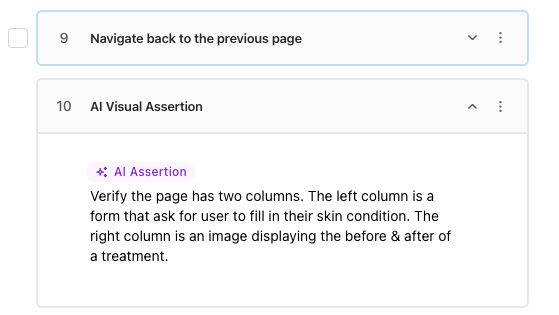 ## What kind of assertions can I make?
You can make assertions on the following:
* Text content (e.g. the text of a button)
* Visual content (e.g. an image that has a certain theme, or a button that has a certain color)
* Presence of an element (e.g. a button that should be present on the page)
* Calculated values (e.g. the total price of items in a cart equals the sum of the prices of the items)
With Playwright, assertions can be rigid and get out of sync with UI changes. With Stably AI, assertions can be high-level and adapt as the UI changes.
## What kind of assertions can I make?
You can make assertions on the following:
* Text content (e.g. the text of a button)
* Visual content (e.g. an image that has a certain theme, or a button that has a certain color)
* Presence of an element (e.g. a button that should be present on the page)
* Calculated values (e.g. the total price of items in a cart equals the sum of the prices of the items)
With Playwright, assertions can be rigid and get out of sync with UI changes. With Stably AI, assertions can be high-level and adapt as the UI changes.