> ## Documentation Index
> Fetch the complete documentation index at: https://docs.stably.ai/llms.txt
> Use this file to discover all available pages before exploring further.

# Copy Steps

> Copy existing test steps from other tests to avoid recreating similar action sequences and improve test development efficiency.

<Note>
  This documentation is for **Stably Classic**. For the new Stably Web Editor, see [Stably Web Editor](/stably/stably-web-editor).
</Note>

## Introduction

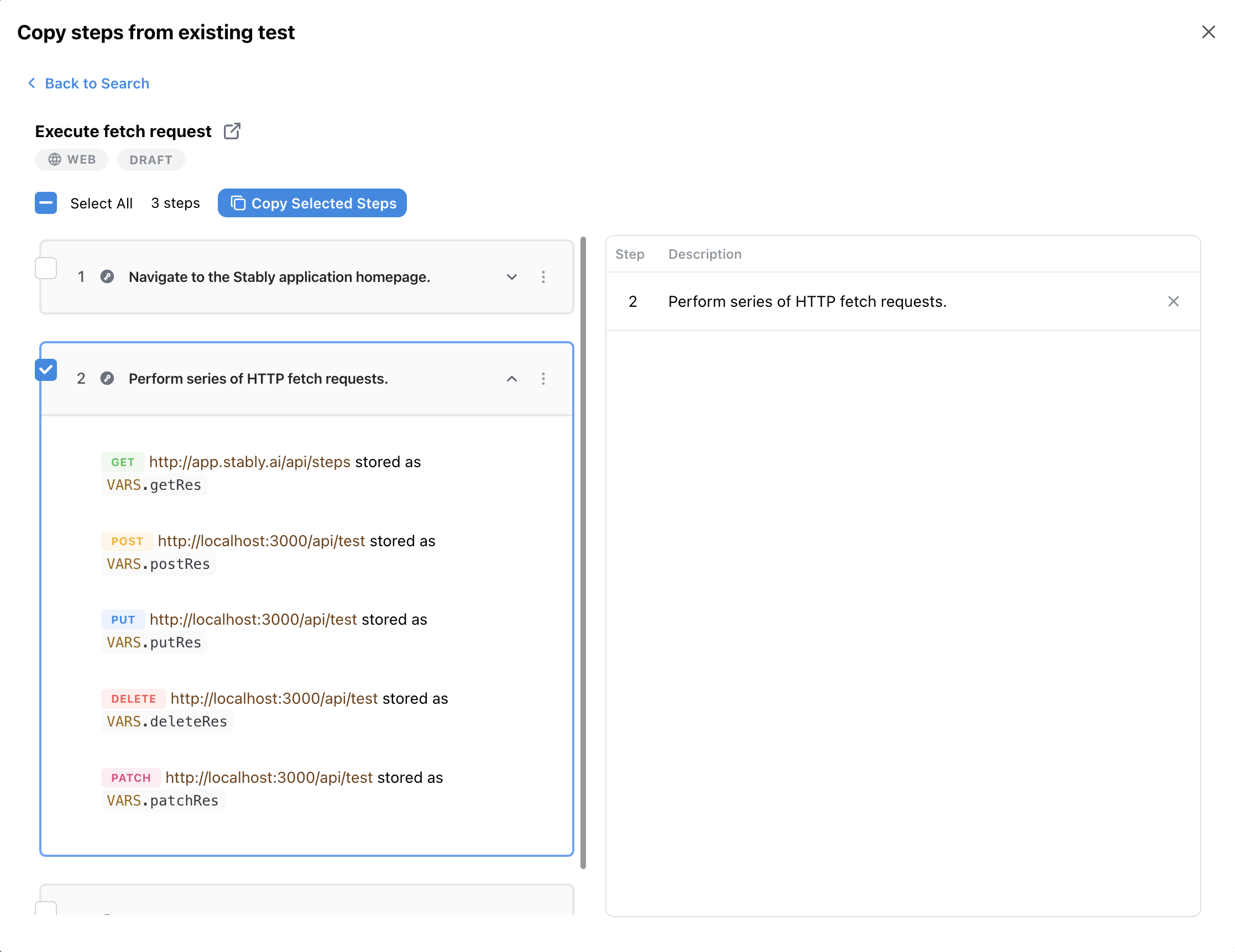
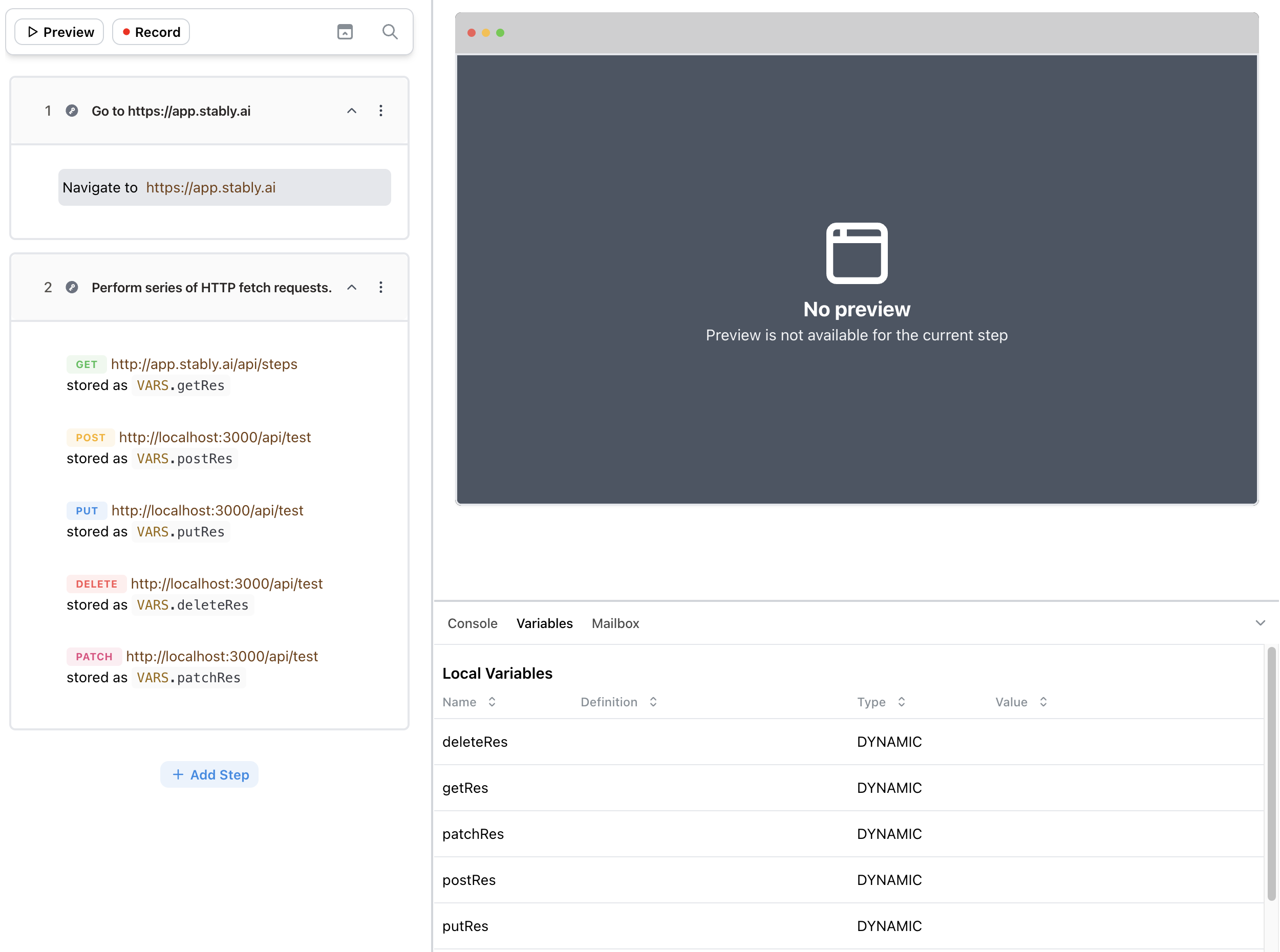
Instead of recreating similar sequences of actions multiple times, you can simply copy existing steps from existing tests.
<Steps>
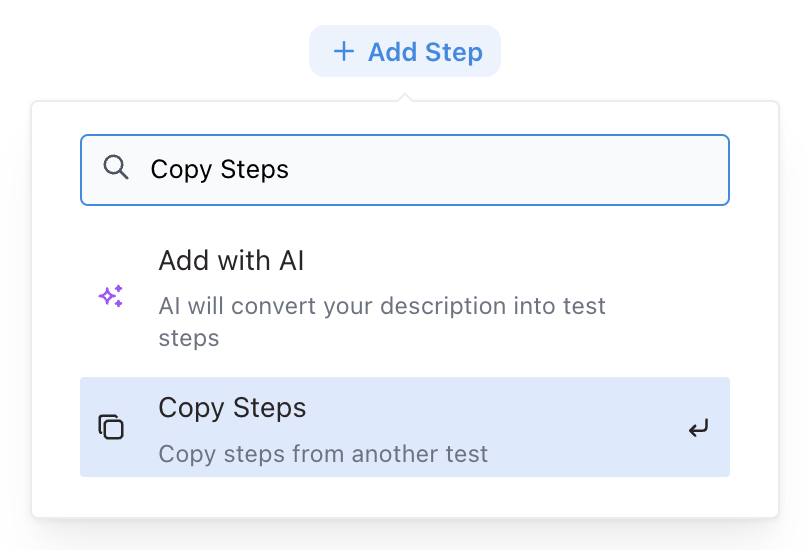
  <Step title="Select 'Copy Steps' action after clicking 'Add Step'">
    <Frame>
      <img src="https://mintcdn.com/stablyai/kbD1mPIS9Ksvjr53/images/no-code-editor/copy-steps.png?fit=max&auto=format&n=kbD1mPIS9Ksvjr53&q=85&s=2e08d313b862d2d4e87f61852e216e99" width="808" height="550" data-path="images/no-code-editor/copy-steps.png" />
    </Frame>
  </Step>

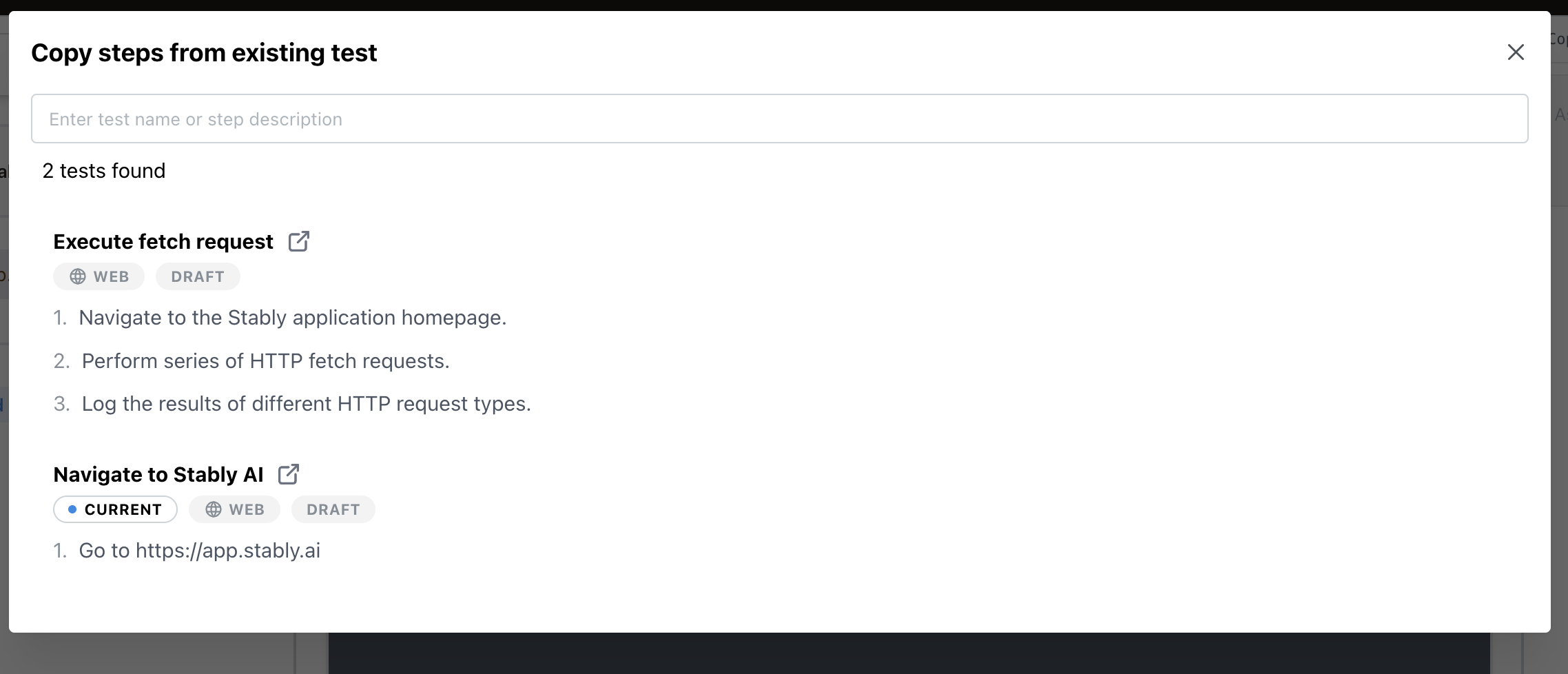
  <Step title="Select the test you want to copy steps from">
    <Frame>
      <img src="https://mintcdn.com/stablyai/kbD1mPIS9Ksvjr53/images/no-code-editor/select-copy-steps.png?fit=max&auto=format&n=kbD1mPIS9Ksvjr53&q=85&s=adbfb632a43d4ec998abae2dc9eaf914" width="2276" height="978" data-path="images/no-code-editor/select-copy-steps.png" />
    </Frame>
  </Step>

  <Step title="Select the steps you want to copy and click 'Copy Selected Steps'">
    <Frame>
      <img src="https://mintcdn.com/stablyai/kbD1mPIS9Ksvjr53/images/no-code-editor/selected-copy-steps.png?fit=max&auto=format&n=kbD1mPIS9Ksvjr53&q=85&s=0481703f6e876ce3aa528da77ae4efea" width="2234" height="1722" data-path="images/no-code-editor/selected-copy-steps.png" />
    </Frame>
  </Step>

  <Step title="Done!">
    <Frame>
      <img src="https://mintcdn.com/stablyai/kbD1mPIS9Ksvjr53/images/no-code-editor/done-copy-steps.png?fit=max&auto=format&n=kbD1mPIS9Ksvjr53&q=85&s=eff22169f88bbdf444a8d7d4f7ffbaca" width="2500" height="1860" data-path="images/no-code-editor/done-copy-steps.png" />
    </Frame>
  </Step>
</Steps>

<Note>Coming soon: Copy steps between different platforms.</Note>
<Warning>Copy Steps currently only supports copying steps from the same platform.</Warning>