> ## Documentation Index
> Fetch the complete documentation index at: https://docs.stably.ai/llms.txt
> Use this file to discover all available pages before exploring further.
# Generate with AI
> Automatically generate test steps using AI and convert them to Playwright actions with auto-heal capabilities.
This documentation is for **Stably Classic**. For the new Stably Web Editor, see [Stably Web Editor](/stably/stably-web-editor).
## How Generate with AI Works
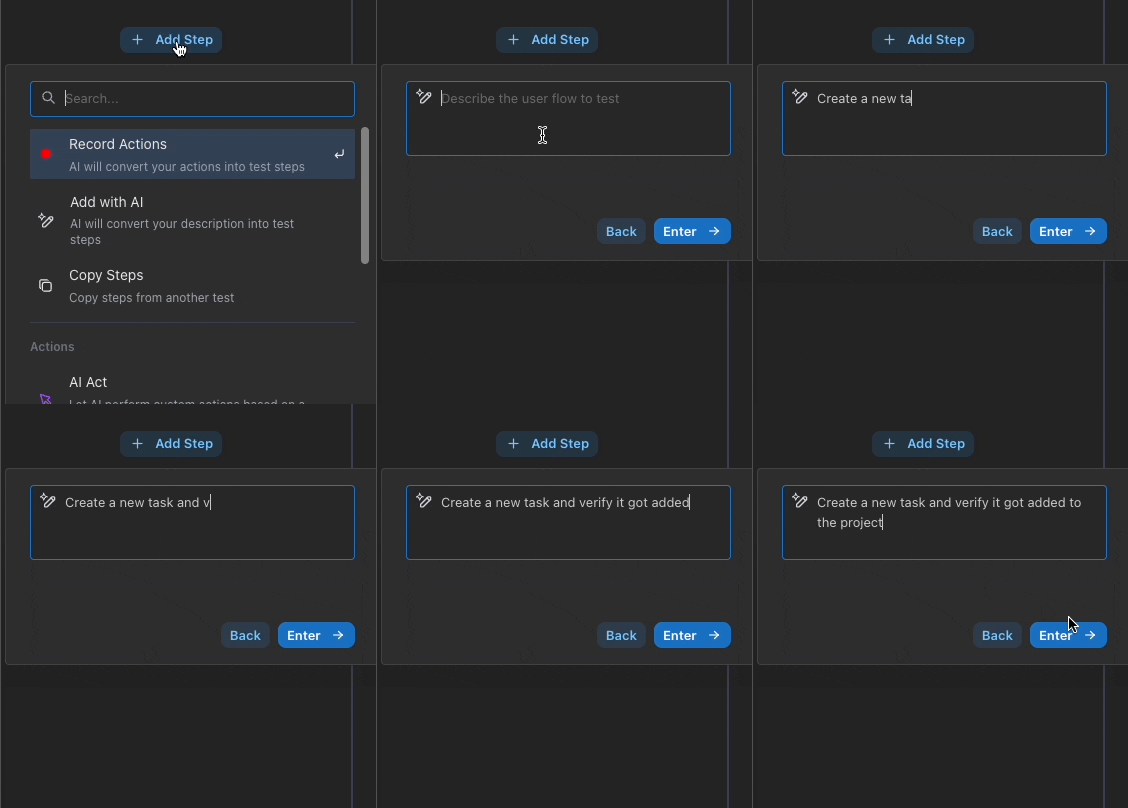
When you use the "Generate with AI" feature, Stably understands your prompt and creates detailed test actions automatically. After generation, all actions are automatically cached as Playwright actions and run under "Auto-heal" mode for maximum reliability.
 ## Auto-heal Integration
All generated actions benefit from Stably's intelligent auto-heal capabilities. When selectors change or the UI evolves, the auto-heal system automatically adapts your tests to maintain stability.
For detailed information about how auto-heal works, see [AI Auto-heal](/platform-capabilities/ai-auto-heal).
## Converting to AI Actions
If you wish to turn certain cached Playwright actions into AI actions for more flexible, dynamic testing, you can easily do so:
1. **Multi-select Actions**: Select multiple generated actions that you want to convert
2. **Click AI Action Button**: Use the "AI Action" button to convert selected actions
## Auto-heal Integration
All generated actions benefit from Stably's intelligent auto-heal capabilities. When selectors change or the UI evolves, the auto-heal system automatically adapts your tests to maintain stability.
For detailed information about how auto-heal works, see [AI Auto-heal](/platform-capabilities/ai-auto-heal).
## Converting to AI Actions
If you wish to turn certain cached Playwright actions into AI actions for more flexible, dynamic testing, you can easily do so:
1. **Multi-select Actions**: Select multiple generated actions that you want to convert
2. **Click AI Action Button**: Use the "AI Action" button to convert selected actions
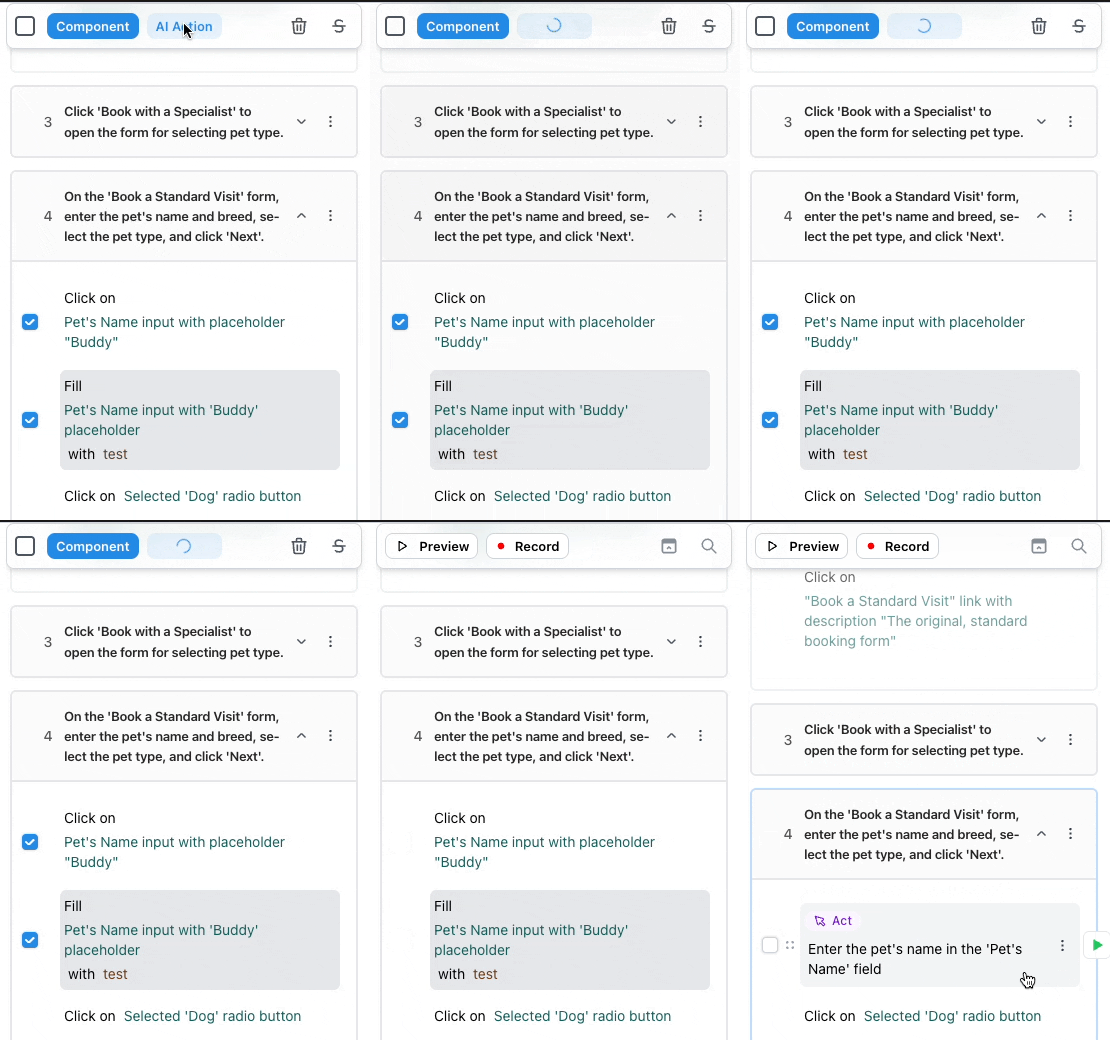 This allows you to combine the speed of automated generation with the flexibility of [AI Actions](/platform-capabilities/ai-action) for complex scenarios.
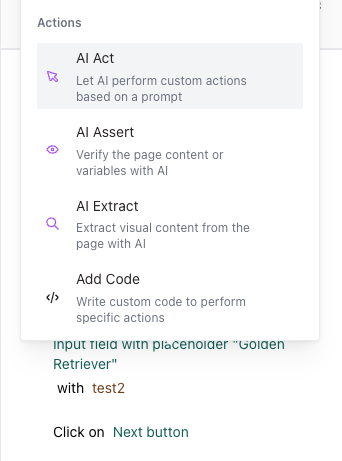
You can also manually add an AI Action at any point in your test:
This allows you to combine the speed of automated generation with the flexibility of [AI Actions](/platform-capabilities/ai-action) for complex scenarios.
You can also manually add an AI Action at any point in your test:
 ## Benefits of Generate with AI
* **Speed**: Rapidly create comprehensive test coverage by triggering multiple AI Generations at once
* **Reliability**: Auto-generated Playwright actions with auto-heal protection
* **Flexibility**: Convert to AI actions when needed for complex scenarios
## Benefits of Generate with AI
* **Speed**: Rapidly create comprehensive test coverage by triggering multiple AI Generations at once
* **Reliability**: Auto-generated Playwright actions with auto-heal protection
* **Flexibility**: Convert to AI actions when needed for complex scenarios