> ## Documentation Index
> Fetch the complete documentation index at: https://docs.stably.ai/llms.txt
> Use this file to discover all available pages before exploring further.
# No-code Editor
> Create Playwright-compatible tests 10x faster with Stably's AI-powered no-code editor featuring advanced AI actions and intelligent test generation.
This documentation is for **Stably Classic** web editor capabilities. For the new Stably Web Editor capabilities, see [Capabilities](/stably/capabilities).
Stably's AI-powered no-code editor empowers you to create Playwright-compatible tests with the same capabilities but 10x faster, while offering advanced AI actions that extend beyond Playwright's standard interactions.
## Add Actions
You can easily record test steps or directly search for specific actions from our comprehensive action library.
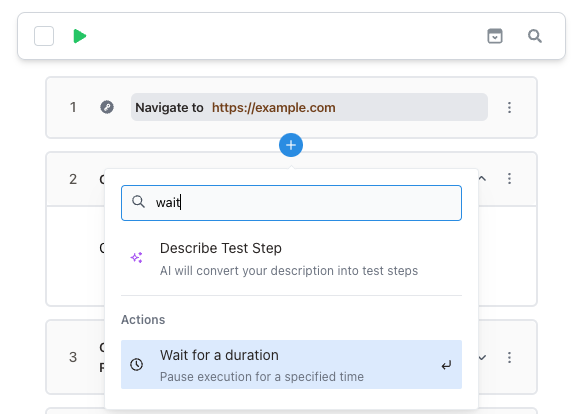 For more complex testing scenarios, leverage our AI co-pilot to intelligently generate and optimize test steps with minimal effort.
## Generate Test Steps with AI Co-Pilot
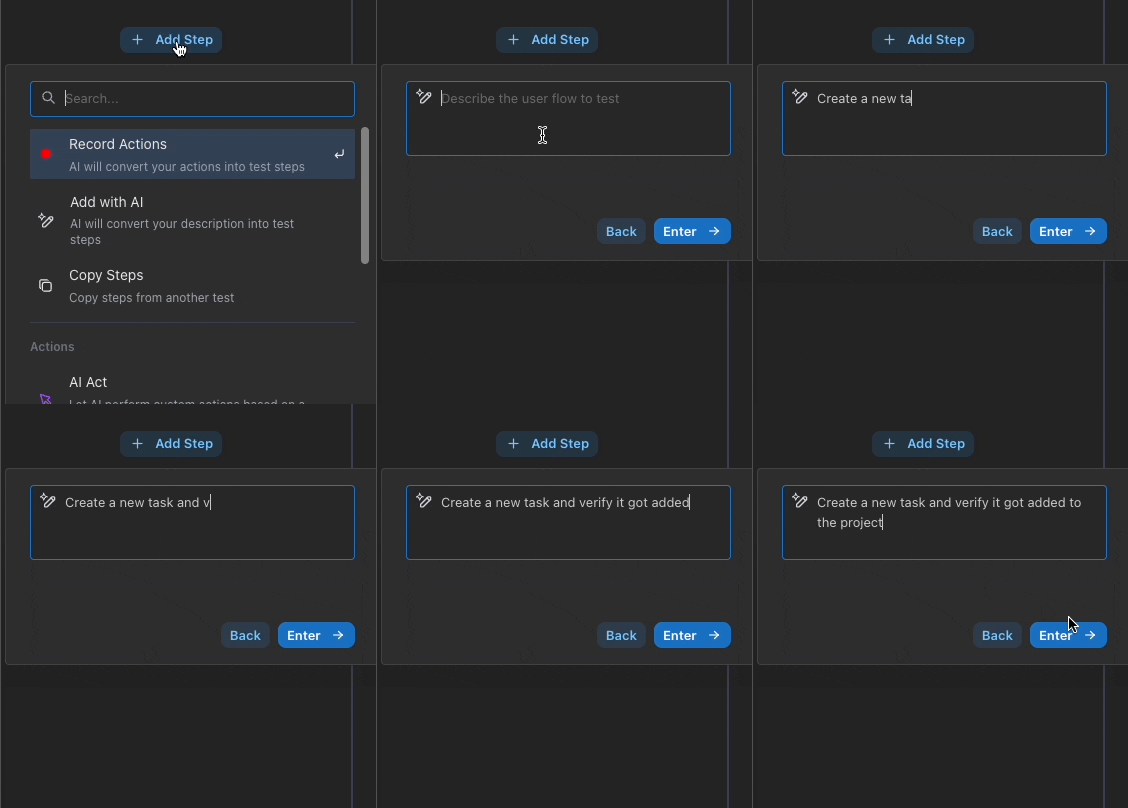
You can use the AI co-pilot to generate test steps, especially for filling out forms or other tedious scenarios.
For more complex testing scenarios, leverage our AI co-pilot to intelligently generate and optimize test steps with minimal effort.
## Generate Test Steps with AI Co-Pilot
You can use the AI co-pilot to generate test steps, especially for filling out forms or other tedious scenarios.
 ## Move Recorder Cursor
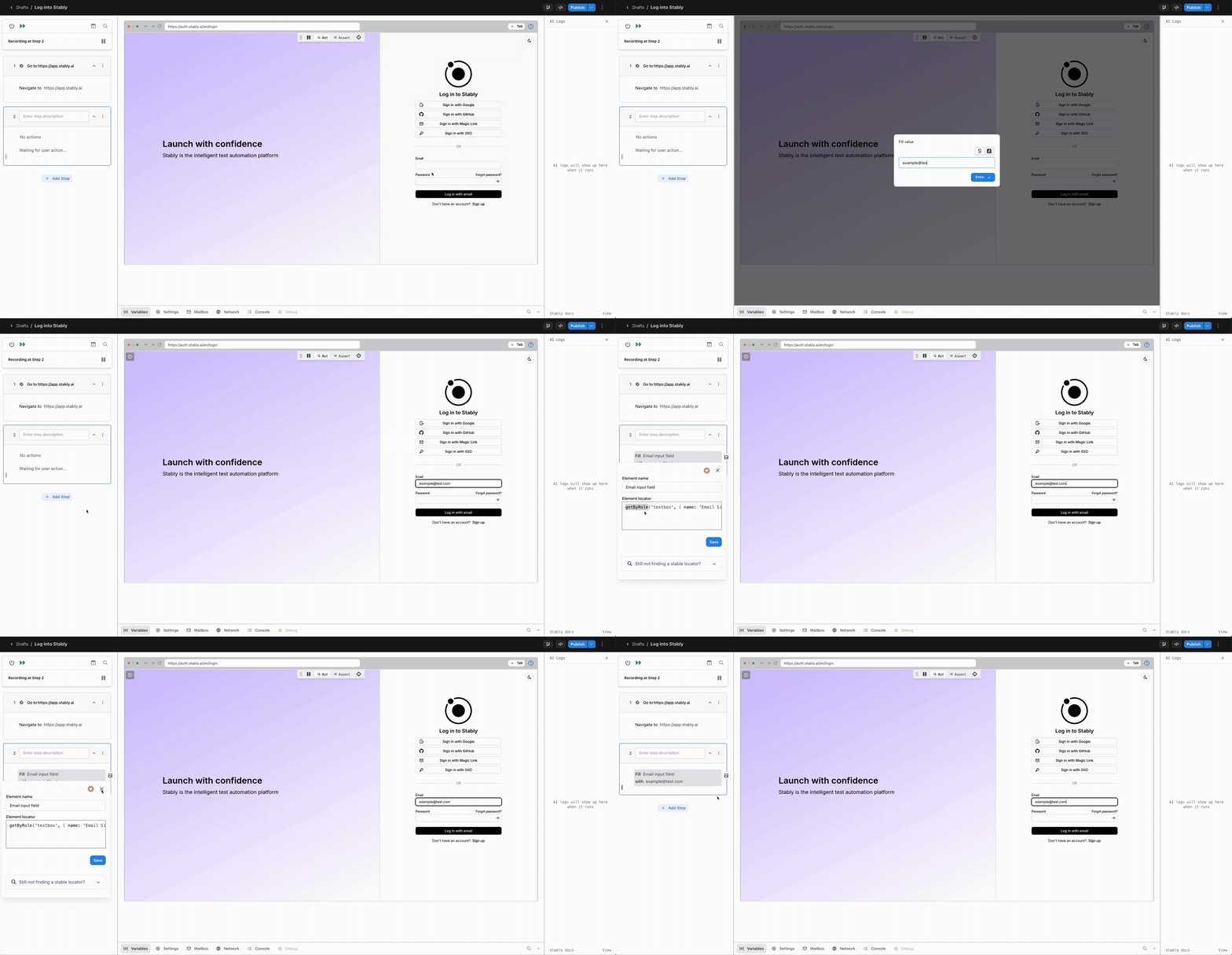
Stably lets you move the cursor to any step while recording a test. This allows you to switch between editing and previewing from any step in the test.
No need to restart the VM just to make a small change.
## Add Custom Code
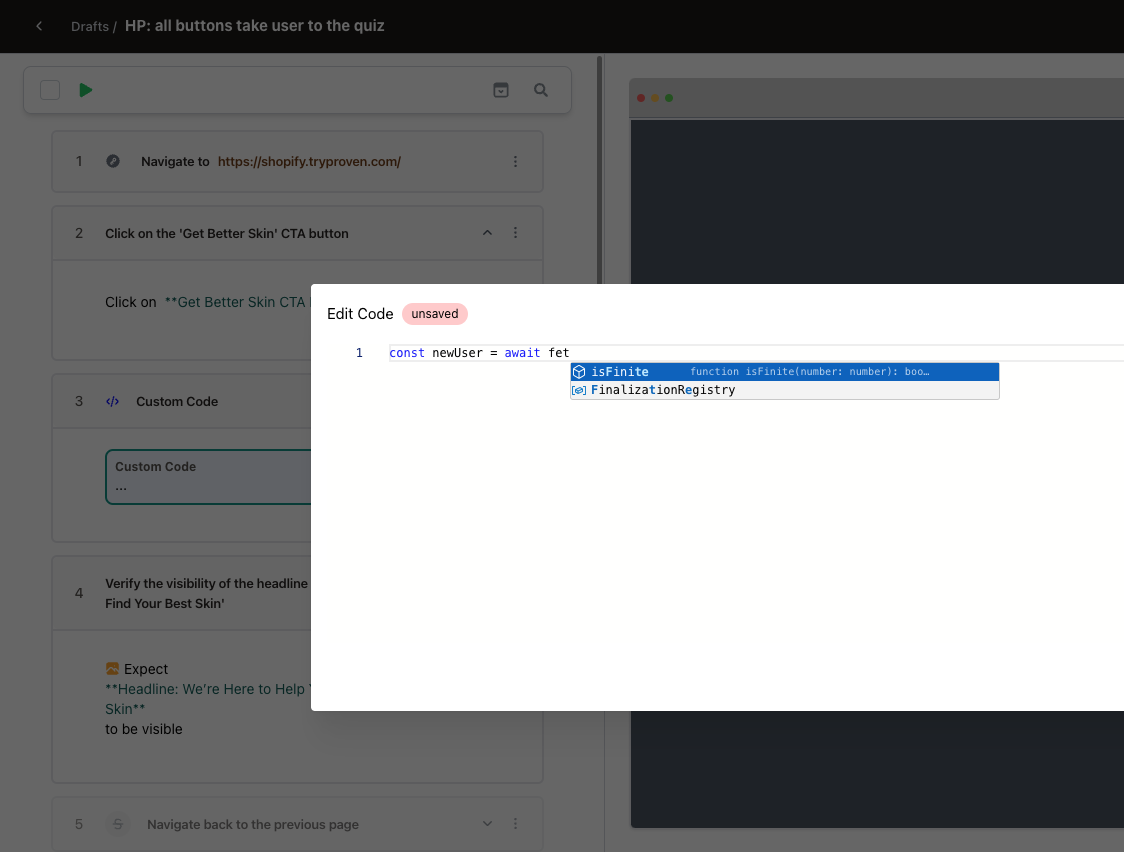
Stably provides advanced testing flexibility through custom JavaScript implementation in two primary scenarios:
1. **Playwright Code Execution**
Create custom steps or operations by directly implementing Playwright code, enabling more complex and specialized test scenarios that may require custom logic or handling.
2. **Dynamic Value Generation**
Generate dynamic input values or variables programmatically using JavaScript, allowing your tests to work with realistic, varied data instead of static values.
## Move Recorder Cursor
Stably lets you move the cursor to any step while recording a test. This allows you to switch between editing and previewing from any step in the test.
No need to restart the VM just to make a small change.
## Add Custom Code
Stably provides advanced testing flexibility through custom JavaScript implementation in two primary scenarios:
1. **Playwright Code Execution**
Create custom steps or operations by directly implementing Playwright code, enabling more complex and specialized test scenarios that may require custom logic or handling.
2. **Dynamic Value Generation**
Generate dynamic input values or variables programmatically using JavaScript, allowing your tests to work with realistic, varied data instead of static values.
 **Supported Libraries and Resources**
* **Faker.js:** Leverage the [Faker.js](https://fakerjs.dev/api/) library to generate realistic mock data for your tests, including names, addresses, emails, and more
* **Pre-defined Variables:** Access test context and environment data through pre-defined variables using the `VARS` object
* **Standard JavaScript Libraries:** Utilize built-in JavaScript libraries such as `Math` or `Date` for calculations, formatting, and time-based operations
## Iframes
Stably is compatible with iframes out of the box, allowing you to seamlessly test applications that use embedded content or third-party integrations without additional configuration.
## Tabs
Stably supports testing with multiple tabs, allowing you to switch between tabs and record actions across different tabs with ease. Stably AI maintains context awareness of each tab, enabling intelligent navigation and seamless test recording across your multi-tab workflows.
## Comprehensive Capabilities
Stably's no-code editor supports all the interactions you need to test modern web applications.
### Basic Actions
* **Click**
* **Hover**
* **Scroll (on the page)**
* **Navigate**
* **Wait for a Duration**
* **Reload Page**
* [Add Custom Code](/platform-capabilities/custom-code)
* [Conditionals](/platform-capabilities/conditionals)
* [Define a Variable](/platform-capabilities/variables)
### Element-based Actions
For interactions that take place on a certain element, right click on the element while recording to access element-based actions.
When you submit the action, Stably will save the locator for the element, so that replaying the action will use the same element.
* **Fill**
* **Clear**
* **Double-click**
* **Right-click**
* **Hover**
* **Drag-and-Drop**
* **Scroll (on an element)**
* **Press a key**
* **Type**
* [Relative Mode for Canvases](/guides/interacting-with-canvases)
**Supported Libraries and Resources**
* **Faker.js:** Leverage the [Faker.js](https://fakerjs.dev/api/) library to generate realistic mock data for your tests, including names, addresses, emails, and more
* **Pre-defined Variables:** Access test context and environment data through pre-defined variables using the `VARS` object
* **Standard JavaScript Libraries:** Utilize built-in JavaScript libraries such as `Math` or `Date` for calculations, formatting, and time-based operations
## Iframes
Stably is compatible with iframes out of the box, allowing you to seamlessly test applications that use embedded content or third-party integrations without additional configuration.
## Tabs
Stably supports testing with multiple tabs, allowing you to switch between tabs and record actions across different tabs with ease. Stably AI maintains context awareness of each tab, enabling intelligent navigation and seamless test recording across your multi-tab workflows.
## Comprehensive Capabilities
Stably's no-code editor supports all the interactions you need to test modern web applications.
### Basic Actions
* **Click**
* **Hover**
* **Scroll (on the page)**
* **Navigate**
* **Wait for a Duration**
* **Reload Page**
* [Add Custom Code](/platform-capabilities/custom-code)
* [Conditionals](/platform-capabilities/conditionals)
* [Define a Variable](/platform-capabilities/variables)
### Element-based Actions
For interactions that take place on a certain element, right click on the element while recording to access element-based actions.
When you submit the action, Stably will save the locator for the element, so that replaying the action will use the same element.
* **Fill**
* **Clear**
* **Double-click**
* **Right-click**
* **Hover**
* **Drag-and-Drop**
* **Scroll (on an element)**
* **Press a key**
* **Type**
* [Relative Mode for Canvases](/guides/interacting-with-canvases)
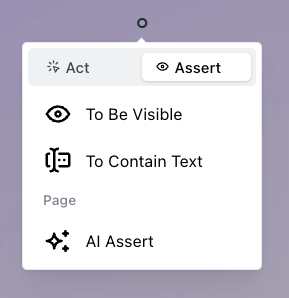
 ### Assertions
* **To Be Visible**
* **To Contain Text**
### Assertions
* **To Be Visible**
* **To Contain Text**
 ### AI Actions
* [Act](/platform-capabilities/ai-action)
* [Assert](/platform-capabilities/ai-assertion)
* [Extract](/platform-capabilities/variables#2-extract-from-the-current-page)
### AI Actions
* [Act](/platform-capabilities/ai-action)
* [Assert](/platform-capabilities/ai-assertion)
* [Extract](/platform-capabilities/variables#2-extract-from-the-current-page)