> ## Documentation Index
> Fetch the complete documentation index at: https://docs.stably.ai/llms.txt
> Use this file to discover all available pages before exploring further.
# Run Settings
> Configure all aspects of test execution including retries, delays, timeouts, parallelism, setup/teardown, environment variables, and notifications.
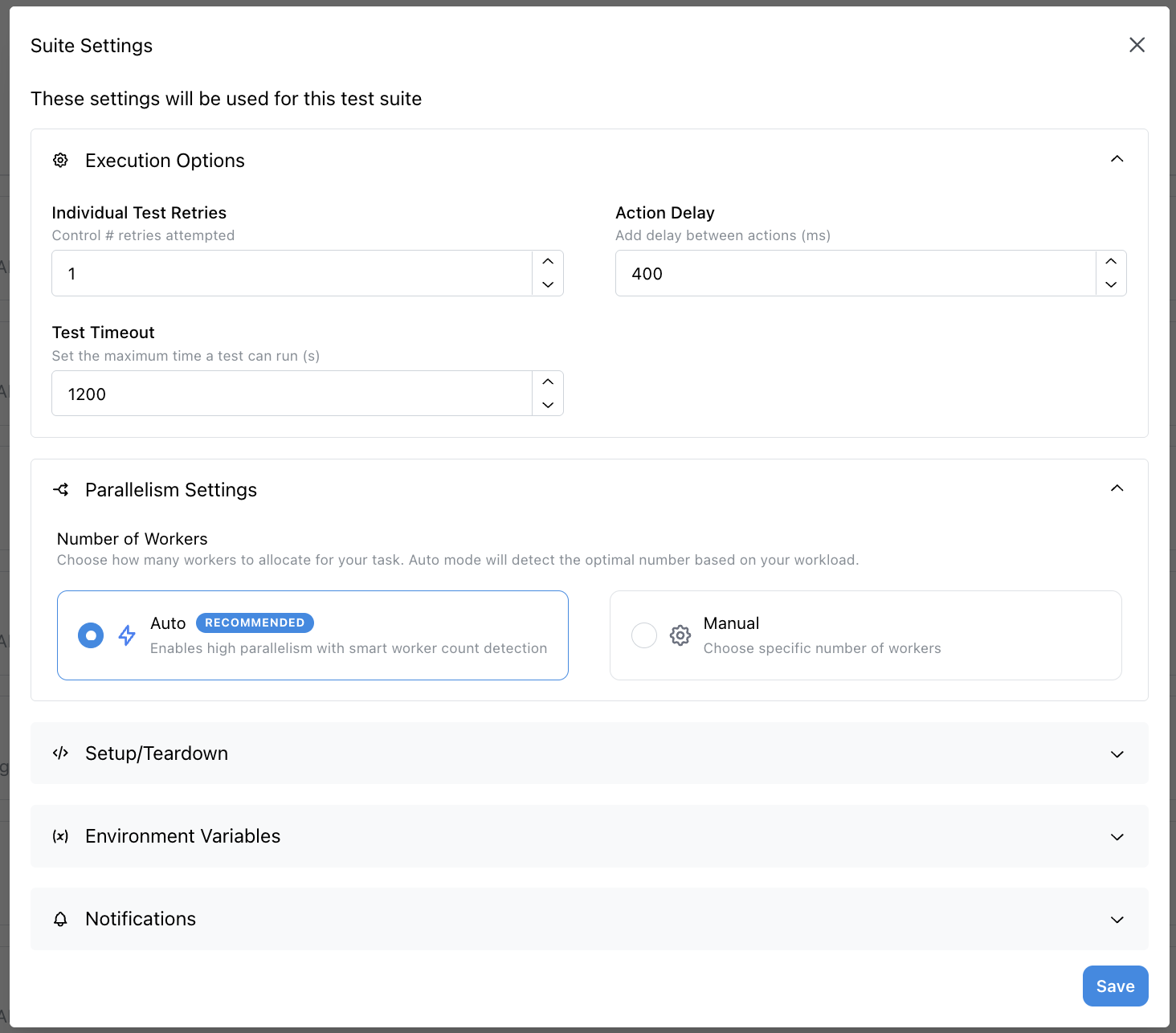 Configure these settings to improve the accuracy and reliability of your tests. Each setting can be tailored to match your application's behavior and testing requirements.
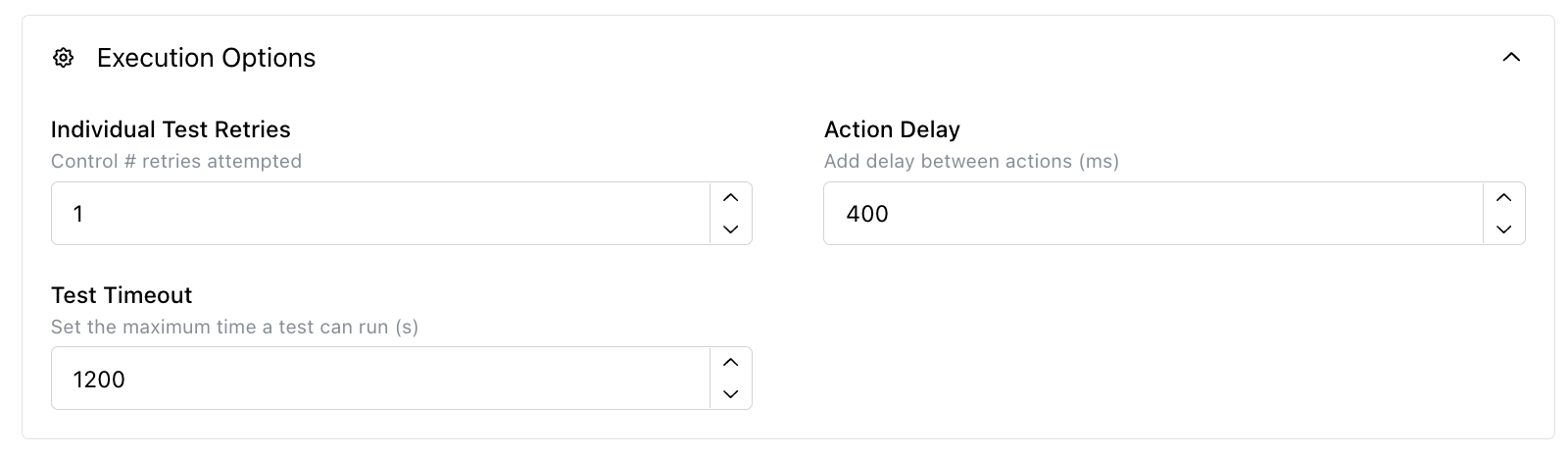
### Individual Test Retries
* **Function**: Number of times a test is run again after a failure
* **Default Value**: 0
* **Purpose**: Automatically retry failed tests to handle flaky failures
### Action Delay
* **Function**: Adds a delay to each Playwright operation
* **Default Value**: 750 ms
* **Purpose**: Slow down test execution to handle timing issues or simulate real user behavior
### Test Timeout
* **Function**: Length of time before each test times out
* **Default Value**: 8 minutes
* **Purpose**: Prevent tests from hanging indefinitely and ensure timely test completion
Configure these settings to improve the accuracy and reliability of your tests. Each setting can be tailored to match your application's behavior and testing requirements.
### Individual Test Retries
* **Function**: Number of times a test is run again after a failure
* **Default Value**: 0
* **Purpose**: Automatically retry failed tests to handle flaky failures
### Action Delay
* **Function**: Adds a delay to each Playwright operation
* **Default Value**: 750 ms
* **Purpose**: Slow down test execution to handle timing issues or simulate real user behavior
### Test Timeout
* **Function**: Length of time before each test times out
* **Default Value**: 8 minutes
* **Purpose**: Prevent tests from hanging indefinitely and ensure timely test completion
 ### Parallelism Options
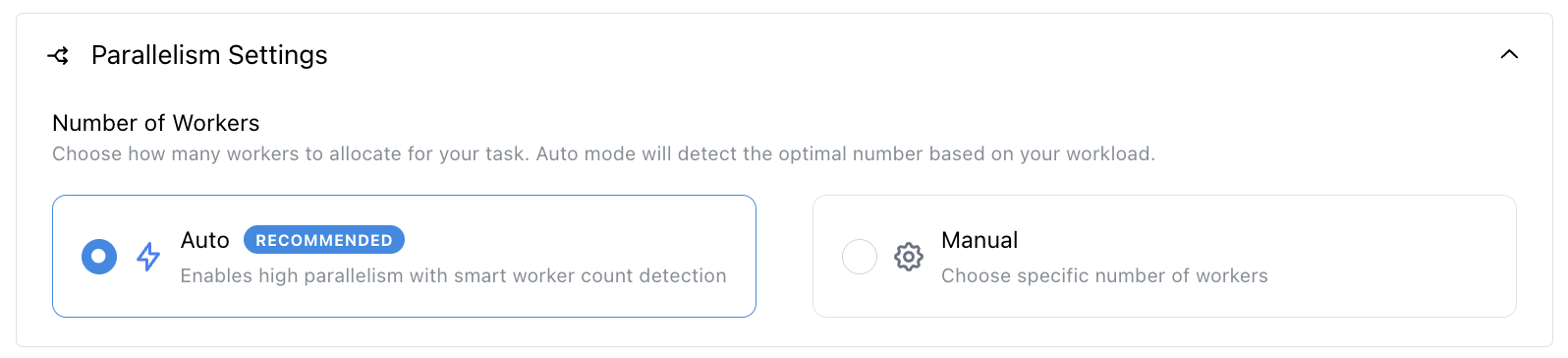
* **Auto (RECOMMENDED)**: Enables high parallelism with smart concurrency detection. This allows hundreds and thousands of parallel tests to run in parallel. Reach out if you need more workers.
* **Manual**: Choose a specific number of parallel tests
### Parallelism Options
* **Auto (RECOMMENDED)**: Enables high parallelism with smart concurrency detection. This allows hundreds and thousands of parallel tests to run in parallel. Reach out if you need more workers.
* **Manual**: Choose a specific number of parallel tests
 Ensure your tests are not interdependent before running them in parallel!
### Setup
* **Function**: Tests that run before the main test suite execution
* **Purpose**: Initialize test environment, create test data, or set up prerequisites
### Teardown
* **Function**: Tests that run after the main test suite execution
* **Purpose**: Clean up test environment, remove test data, or perform cleanup tasks
### Before Each
* **Function**: Tests that run before each individual test in the suite
* **Purpose**: Set up conditions specific to each test case
### After Each
* **Function**: Tests that run after each individual test in the suite
* **Purpose**: Clean up after each test case
Ensure your tests are not interdependent before running them in parallel!
### Setup
* **Function**: Tests that run before the main test suite execution
* **Purpose**: Initialize test environment, create test data, or set up prerequisites
### Teardown
* **Function**: Tests that run after the main test suite execution
* **Purpose**: Clean up test environment, remove test data, or perform cleanup tasks
### Before Each
* **Function**: Tests that run before each individual test in the suite
* **Purpose**: Set up conditions specific to each test case
### After Each
* **Function**: Tests that run after each individual test in the suite
* **Purpose**: Clean up after each test case
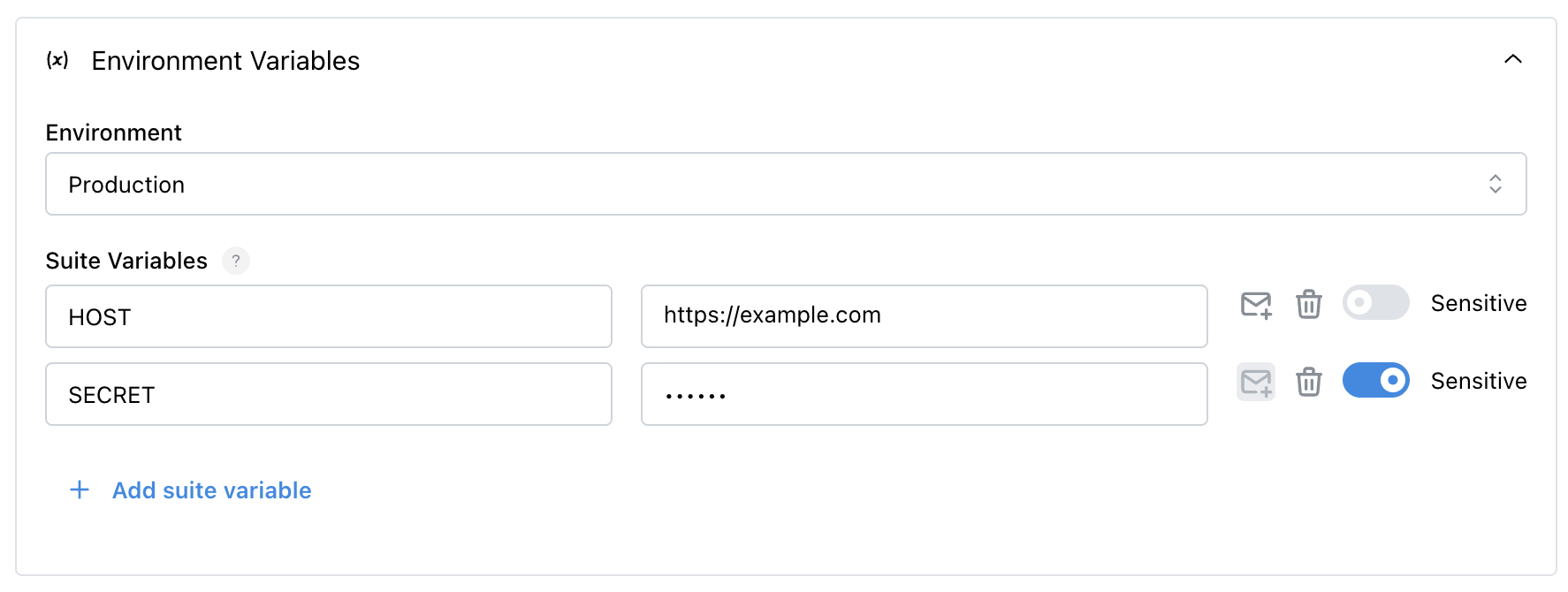
 ### Environment
* Set the environment to use the [environment variables](/core-configuration/test-data#environment-variables) from the selected environment
### Custom Variables
* **Function**: Add custom environment variables specific to this suite
* **Purpose**: Override existing environment variables in this suite with new values
### Environment
* Set the environment to use the [environment variables](/core-configuration/test-data#environment-variables) from the selected environment
### Custom Variables
* **Function**: Add custom environment variables specific to this suite
* **Purpose**: Override existing environment variables in this suite with new values
 ### Notification Settings
* **Options**:
* **Use project level settings**: Use the project notification settings
* **Use suite specific settings**: Override the notification settings for this suite (RECOMMENDED)
* **Disable notifications**: No notifications will be sent
* **Purpose**: Configure how test results are communicated to the team
### Notifications
* **Purpose**: Send Slack and email notifications for test results
### Notification Settings
* **Options**:
* **Use project level settings**: Use the project notification settings
* **Use suite specific settings**: Override the notification settings for this suite (RECOMMENDED)
* **Disable notifications**: No notifications will be sent
* **Purpose**: Configure how test results are communicated to the team
### Notifications
* **Purpose**: Send Slack and email notifications for test results
