> ## Documentation Index
> Fetch the complete documentation index at: https://docs.stably.ai/llms.txt
> Use this file to discover all available pages before exploring further.
# Manually Trigger a Run
> Manually trigger a test suite run to run a test suite immediately.
To manually trigger a test suite run, click on the `Run` button in the test suite.
This will open a modal to configure the run settings for this run.
This will override the suite run settings for just this run. For example, you may wish to skip sending notifications for a manual run.
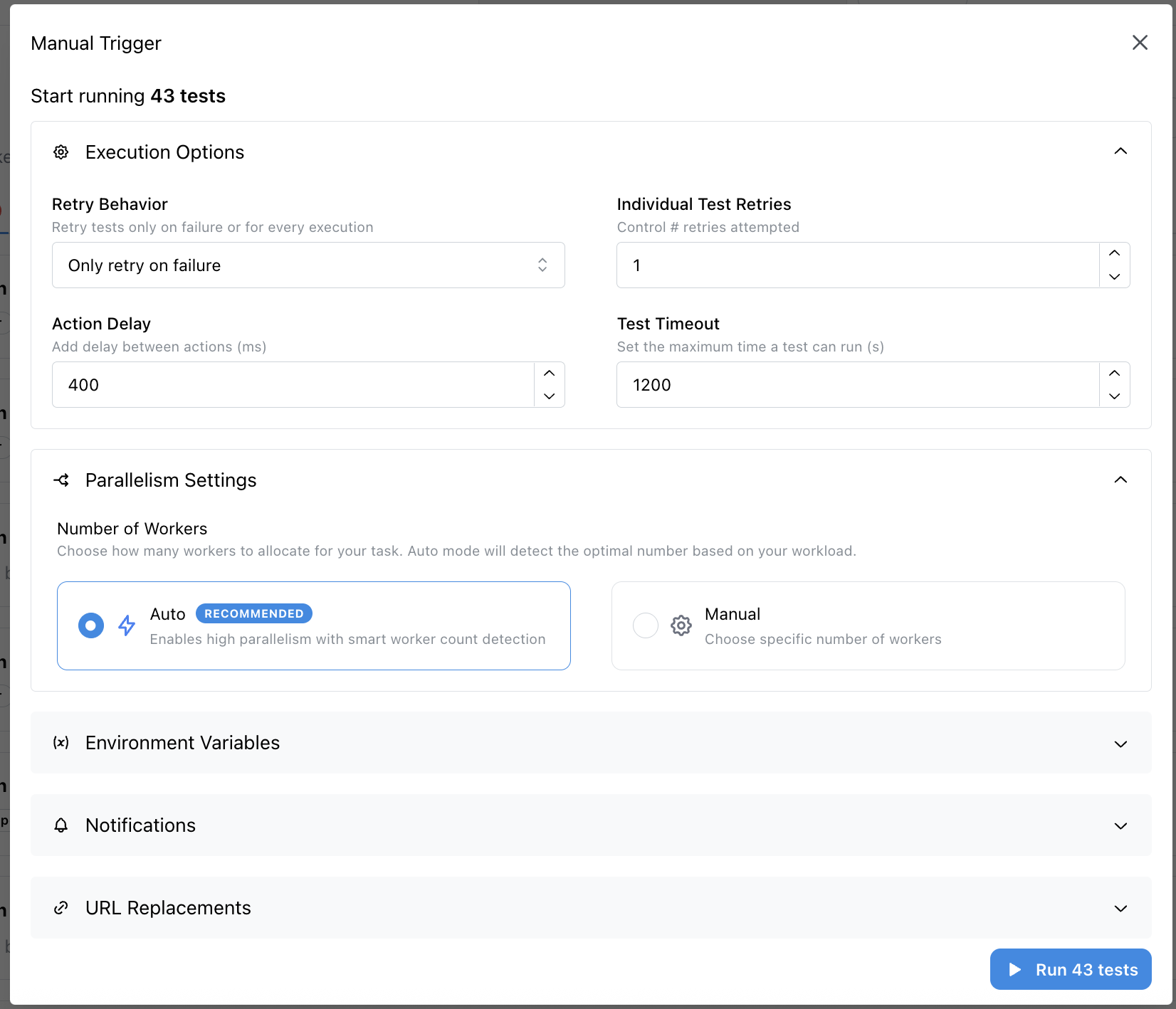 Once you have configured the run settings, click on the `Run` button to trigger the run.
You can view the results of the run in the [Runs](/run-tests/viewing-run-results) tab.
## Trigger a run via API
You can also manually trigger a test run using the [Stably API](/api-reference/introduction).
Once you have configured the run settings, click on the `Run` button to trigger the run.
You can view the results of the run in the [Runs](/run-tests/viewing-run-results) tab.
## Trigger a run via API
You can also manually trigger a test run using the [Stably API](/api-reference/introduction).