> ## Documentation Index
> Fetch the complete documentation index at: https://docs.stably.ai/llms.txt
> Use this file to discover all available pages before exploring further.
# Overview
> Create and manage tests visually with AI assistance—no coding required
## Overview
The Stably Web Recorder + AI Editor is a web-based visual test builder and AI assistant that lets you create, edit, and manage tests without writing code. Think v0.dev or Lovable, but for testing.
## Capabilities
* **AI + visual authoring**: Create tests with natural language or the browser recorder, then refine them in the editor.
* **SDK-backed tests**: Generated flows compile down to Playwright + Stably AI Testing SDK, so you can extend with code when needed.
* **Reusable building blocks**: Use components, variables, and data-driven steps to keep tests maintainable.
* **AI assertions and healing**: Add AI-powered assertions and auto-heal selectors to reduce flakiness.
* **Custom logic**: Insert code steps for edge cases, integrations, or setup/teardown logic.
* **Imports and sync**: Import existing Playwright tests and optionally sync changes with your repository.
## Creating Tests
### AI Chat
Describe what you want to test in natural language:
```
You: "Create a test for user login with email and password"
Stably: I'll create a test that:
• Navigates to the login page
• Fills in email and password fields
• Clicks the submit button
• Verifies successful redirect to dashboard
[Generated test appears in editor]
```
### Browser Recorder
Click through your app while Stably captures your actions automatically. The recorder creates test steps as you interact with your application.
### Import Existing Tests
Upload your existing Playwright tests to manage them in the visual editor.
## Editing Tests
Use the visual editor to modify tests:
* **Drag and drop** steps to reorder
* **Click to edit** selectors, values, and assertions
* **AI assistance** to refine or add new steps
* **Live preview** to see changes in real-time
Changes sync to your repository automatically when connected.
## Connect Your Repository (Optional)
Connecting a Git repository lets you sync tests between the Web Editor and CLI-created tests, keeping everything in one place.
You can connect your GitHub or GitLab repository to sync tests to your codebase.
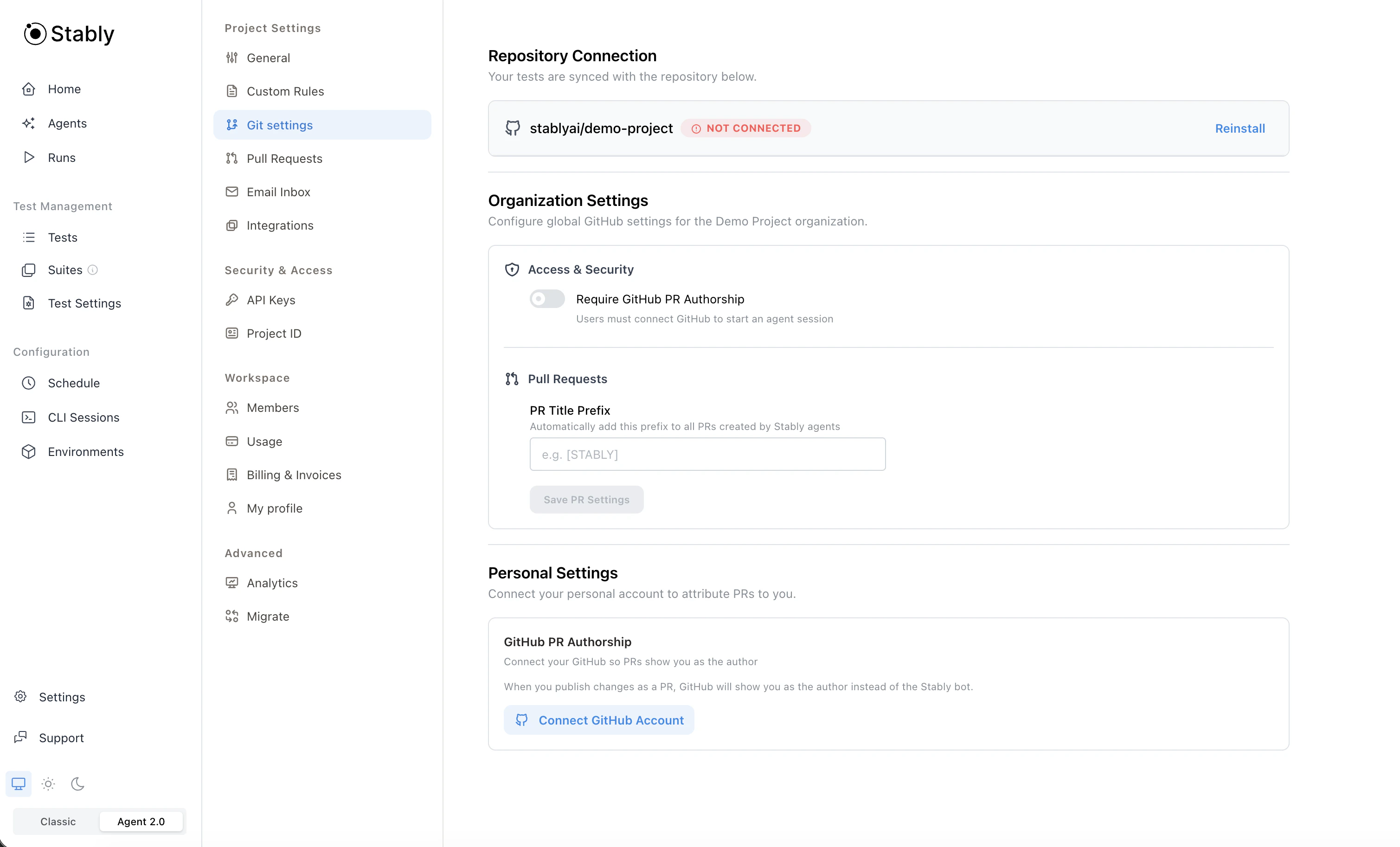 **What happens when you connect:**
* Existing Playwright configuration is detected automatically
* If no Playwright setup exists, we create a Stably-managed configuration
* Tests sync between Stably Cloud and your repository
* Tests created in the Web Editor and tests created via the CLI are kept in sync
**To connect:**
1. Go to [Project Settings → Git settings](https://app.stably.ai/settings?tab=git)
2. Authorize Stably to access your GitHub or GitLab repository
3. We'll automatically create a PR/MR with the necessary setup
**Note:** You don't need to connect a repository to use the online Editor. We handle test storage for you.
## Next Steps
Explore AI actions, assertions, and more
**What happens when you connect:**
* Existing Playwright configuration is detected automatically
* If no Playwright setup exists, we create a Stably-managed configuration
* Tests sync between Stably Cloud and your repository
* Tests created in the Web Editor and tests created via the CLI are kept in sync
**To connect:**
1. Go to [Project Settings → Git settings](https://app.stably.ai/settings?tab=git)
2. Authorize Stably to access your GitHub or GitLab repository
3. We'll automatically create a PR/MR with the necessary setup
**Note:** You don't need to connect a repository to use the online Editor. We handle test storage for you.
## Next Steps
Explore AI actions, assertions, and more