> ## Documentation Index
> Fetch the complete documentation index at: https://docs.stably.ai/llms.txt
> Use this file to discover all available pages before exploring further.
# Quickstart: Stably Web
> Build and run Playwright tests in your browser—no local setup required.
## Prerequisites
* A Stably account: [Sign up](https://forms.stably.ai/sign-up)
* Access to the app you want to test (URL plus test credentials if needed)
* Optional: GitHub repository access if you want to sync tests back to code
## Step-by-step
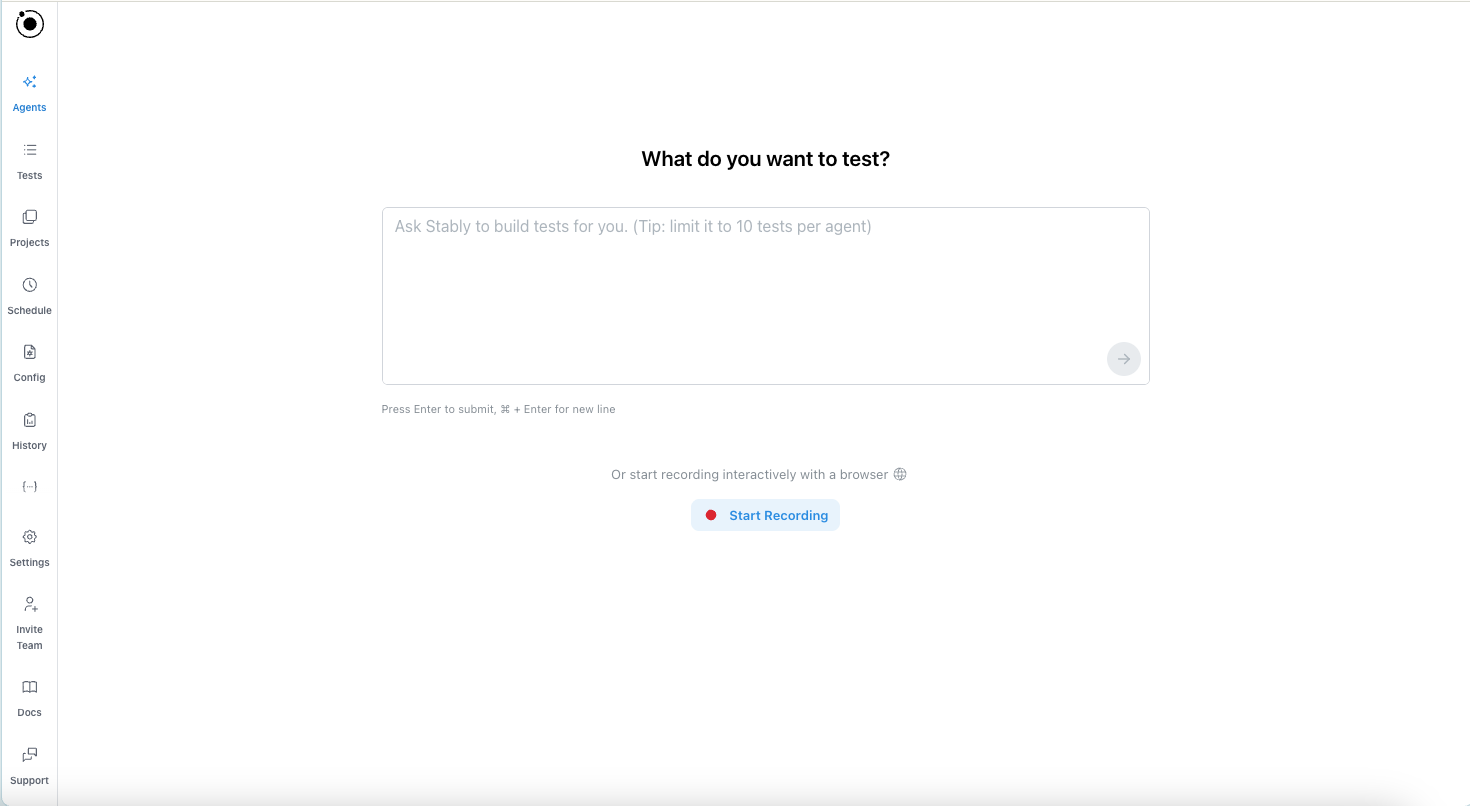
Click **Start Recording** to capture actions in your app, or ask AI to build tests for you (e.g., "Create a login test that verifies the dashboard loads"). The editor builds Playwright-compatible steps you can inspect.
 View changes in the no-code view or code view. Use the recorder or chat with AI to make modifications, and preview the test—all in the editor. Publish when ready.
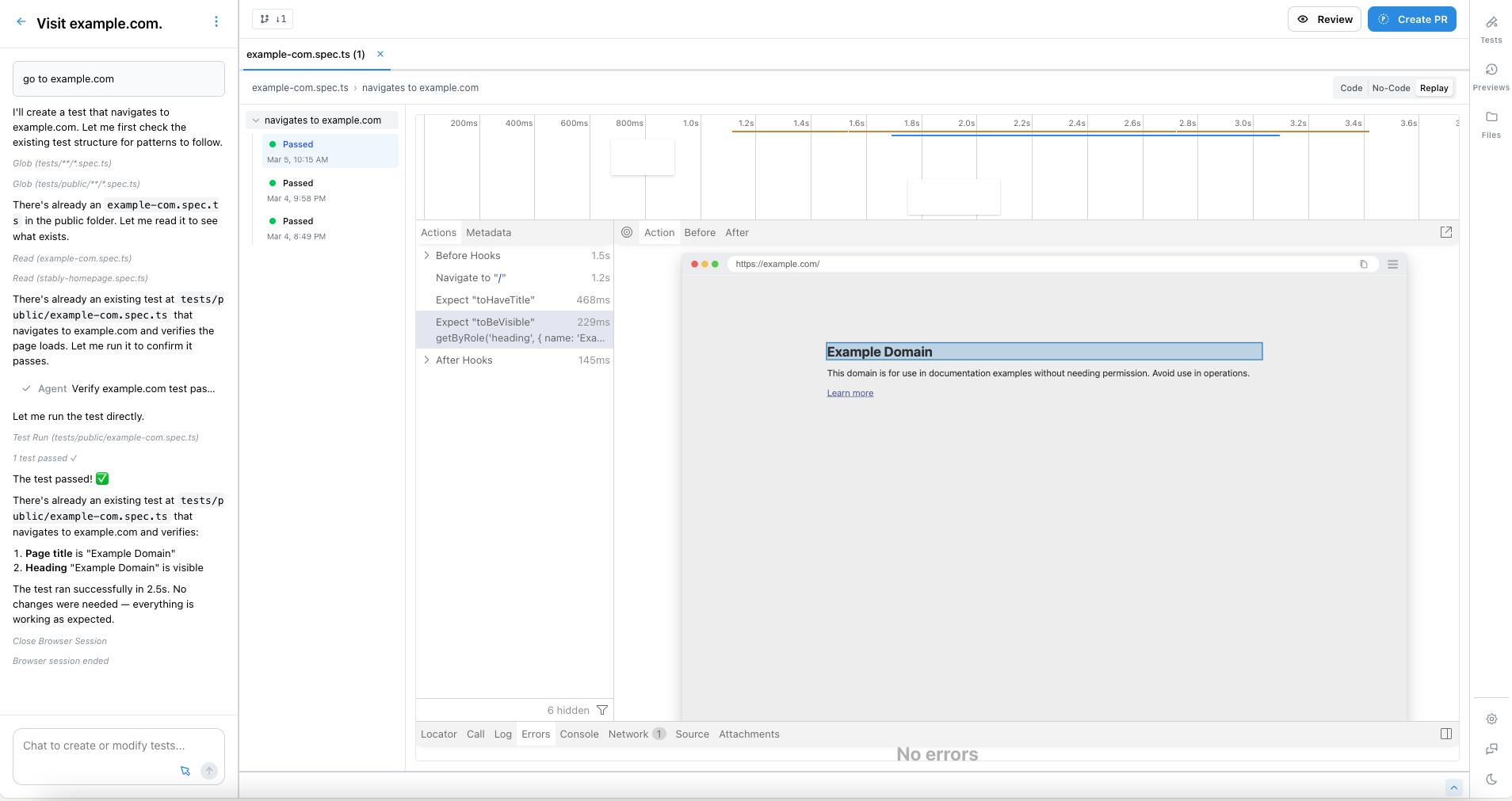
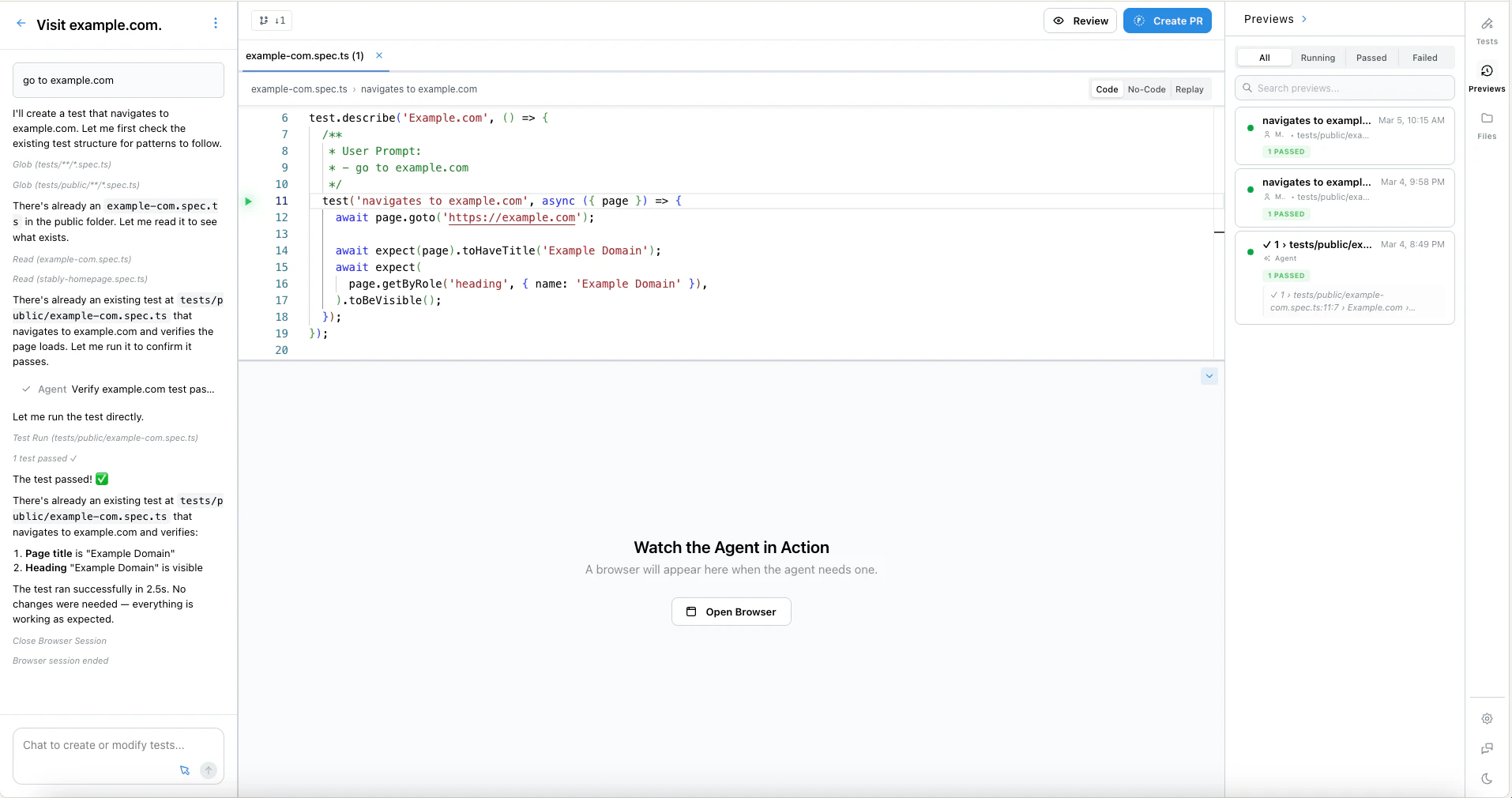 Choose **Run** and pick a test project (e.g., "prod release"). Stably provisions the browser, runs the test, and streams results with screenshots and logs. No local installs required.
## Preview vs Run
**Preview** and **Run** serve different purposes:
* **Preview** executes the test inside the editor's virtual browser so you can watch each step play out in real time. Use it to quickly validate changes, debug failures, and iterate—without leaving the editor.
* **Run** is available after you publish your tests. Use it to execute tests in headless mode at scale—on [your own machine via the CLI](/stably-cli/run-tests) or on [Stably Cloud](/run-tests/run-tests-on-cloud).
Choose **Run** and pick a test project (e.g., "prod release"). Stably provisions the browser, runs the test, and streams results with screenshots and logs. No local installs required.
## Preview vs Run
**Preview** and **Run** serve different purposes:
* **Preview** executes the test inside the editor's virtual browser so you can watch each step play out in real time. Use it to quickly validate changes, debug failures, and iterate—without leaving the editor.
* **Run** is available after you publish your tests. Use it to execute tests in headless mode at scale—on [your own machine via the CLI](/stably-cli/run-tests) or on [Stably Cloud](/run-tests/run-tests-on-cloud).
 ## What you get
* Playwright-compatible tests you can export or run anywhere
* Full run history with screenshots, logs, and video recordings
* Git-backed version control—every change is saved
## Next step
Learn the editor, AI assistance, and recording tips
## What you get
* Playwright-compatible tests you can export or run anywhere
* Full run history with screenshots, logs, and video recordings
* Git-backed version control—every change is saved
## Next step
Learn the editor, AI assistance, and recording tips