

Overview
The Stably Web Recorder + AI Editor is a web-based visual test builder and AI assistant that lets you create, edit, and manage tests without writing code. Think v0.dev or Lovable, but for testing.Capabilities
- AI + visual authoring: Create tests with natural language or the browser recorder, then refine them in the editor.
- SDK-backed tests: Generated flows compile down to Playwright + Stably AI Testing SDK, so you can extend with code when needed.
- Reusable building blocks: Use components, variables, and data-driven steps to keep tests maintainable.
- AI assertions and healing: Add AI-powered assertions and auto-heal selectors to reduce flakiness.
- Custom logic: Insert code steps for edge cases, integrations, or setup/teardown logic.
- Imports and sync: Import existing Playwright tests and optionally sync changes with your repository.
Creating Tests
AI Chat
Describe what you want to test in natural language:Browser Recorder
Click through your app while Stably captures your actions automatically. The recorder creates test steps as you interact with your application.Import Existing Tests
Upload your existing Playwright tests to manage them in the visual editor.Editing Tests
Use the visual editor to modify tests:- Drag and drop steps to reorder
- Click to edit selectors, values, and assertions
- AI assistance to refine or add new steps
- Live preview to see changes in real-time
Connect Your Repository (Optional)
Connecting a Git repository lets you sync tests between the Web Editor and CLI-created tests, keeping everything in one place.GitHub / GitLab Integration
GitHub / GitLab Integration
You can connect your GitHub or GitLab repository to sync tests to your codebase.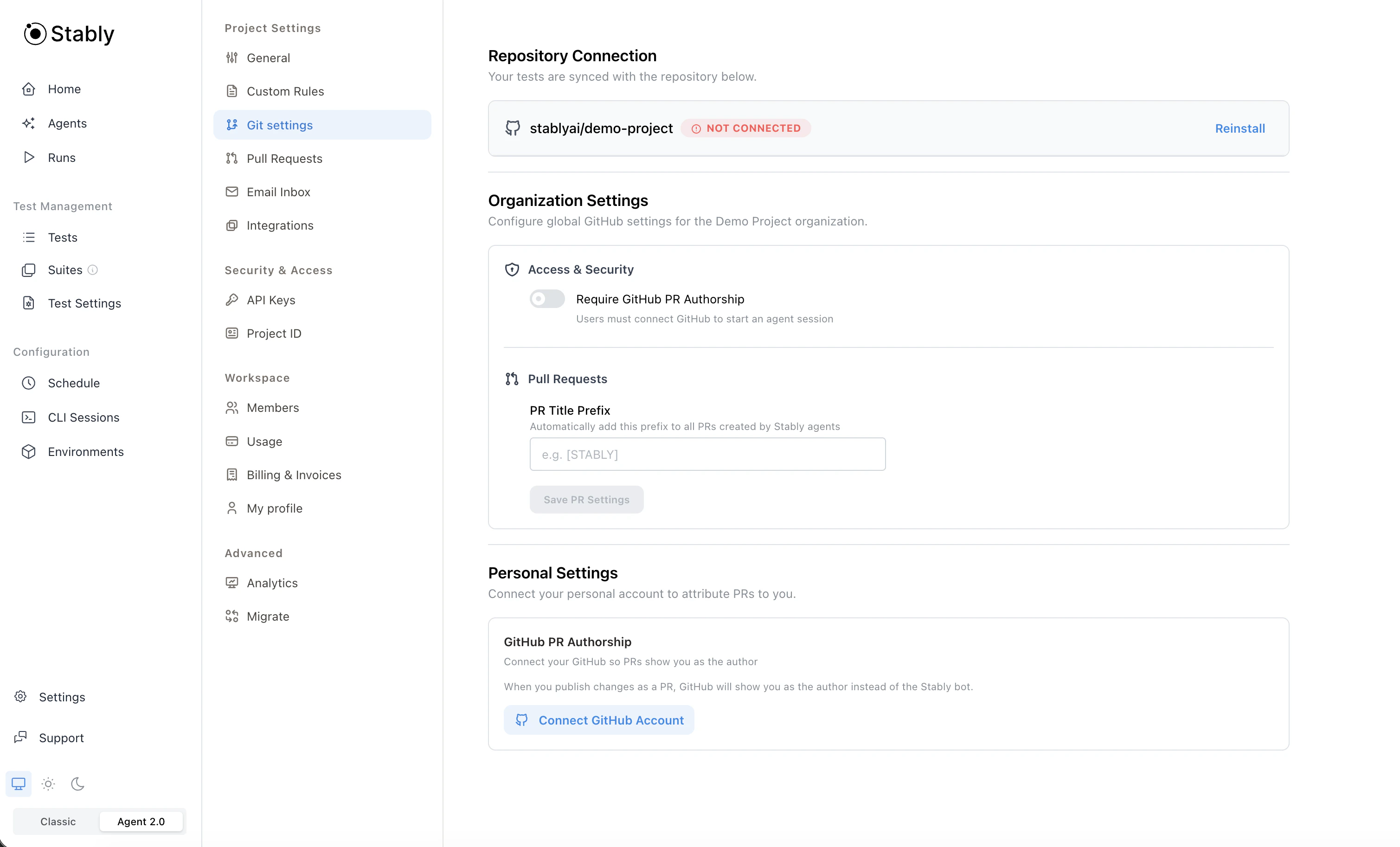
- Existing Playwright configuration is detected automatically
- If no Playwright setup exists, we create a Stably-managed configuration
- Tests sync between Stably Cloud and your repository
- Tests created in the Web Editor and tests created via the CLI are kept in sync
- Go to Project Settings → Git settings
- Authorize Stably to access your GitHub or GitLab repository
- We’ll automatically create a PR/MR with the necessary setup
Next Steps
Platform Capabilities
Explore AI actions, assertions, and more