

Access TCM
Open your project and navigate to:What you can do
- Create and edit test cases in a drawer with version history.
- Save reusable table views for filtering, sorting, and grouping cases.
- Link test cases to run groups directly from the case drawer.
- Build run groups (reusable case sets) and start runs from them.
- Track global run history from the same Runs page.
Manage test cases
Use the Cases page to organize and triage your test catalog.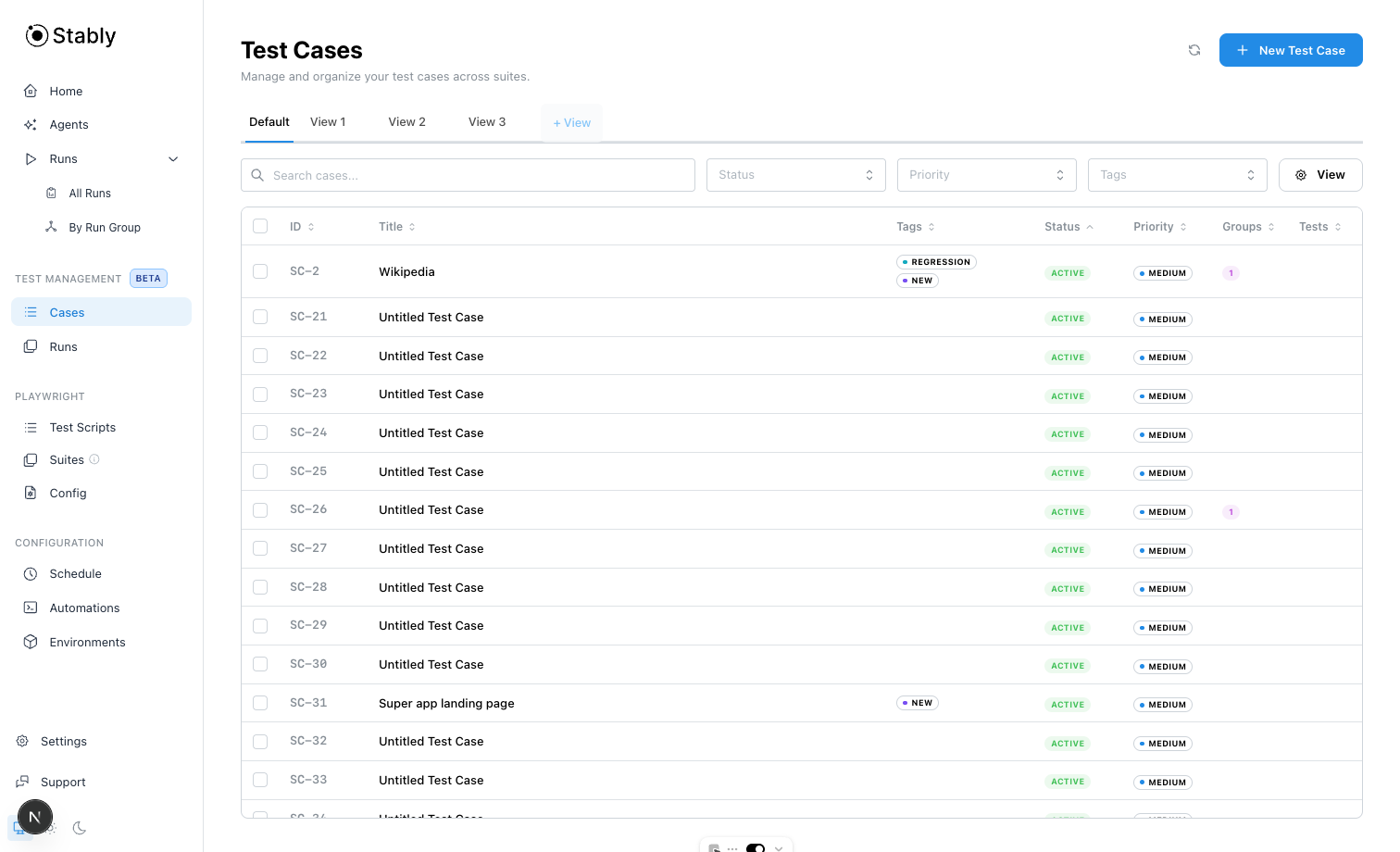
Saved views for teams
Create named views to store filters and table settings (for example: status, priority, tags, sort, grouping).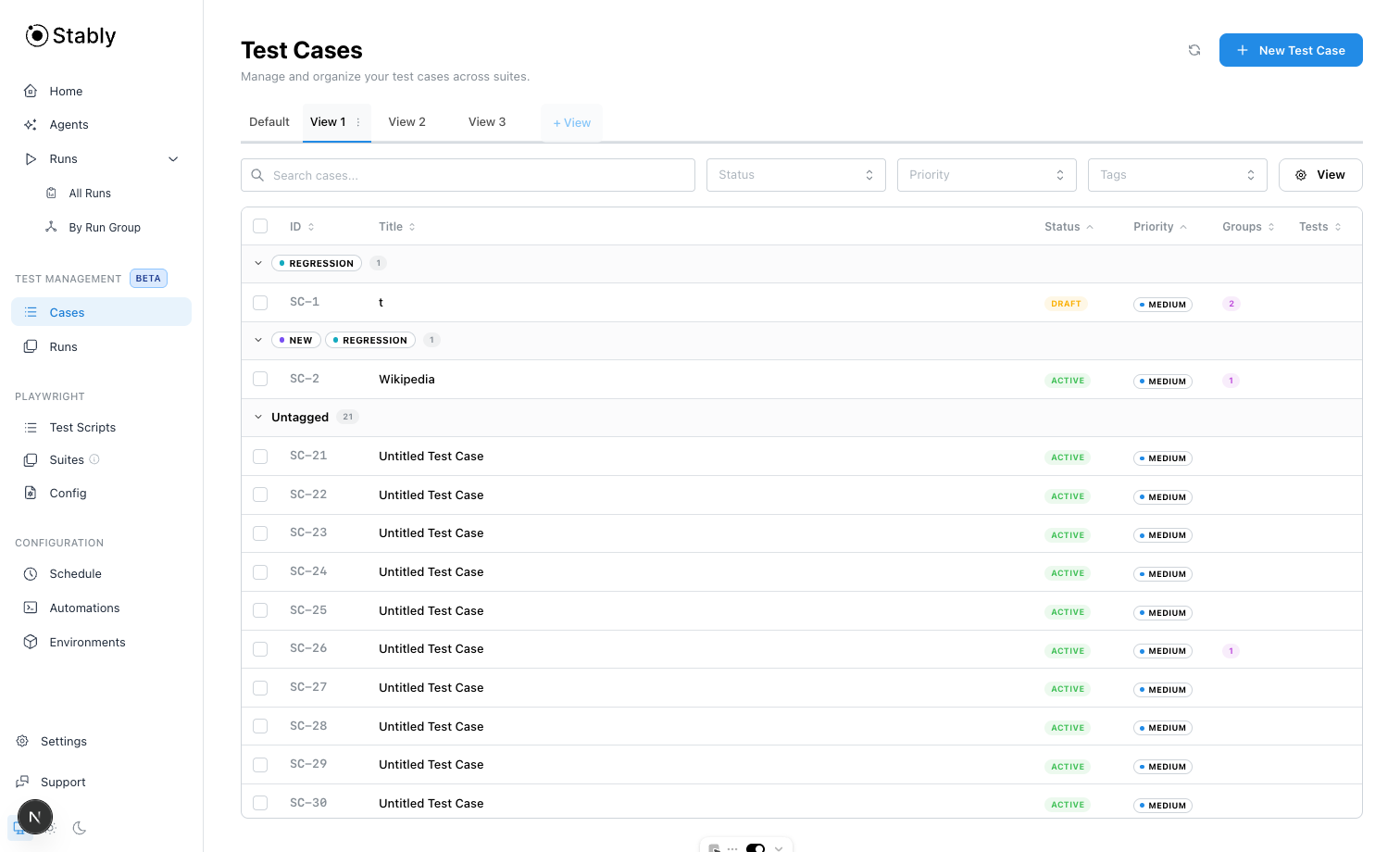
Case details and run group links
Each case opens in a full drawer for editing details, reviewing version history, and managing linked run groups.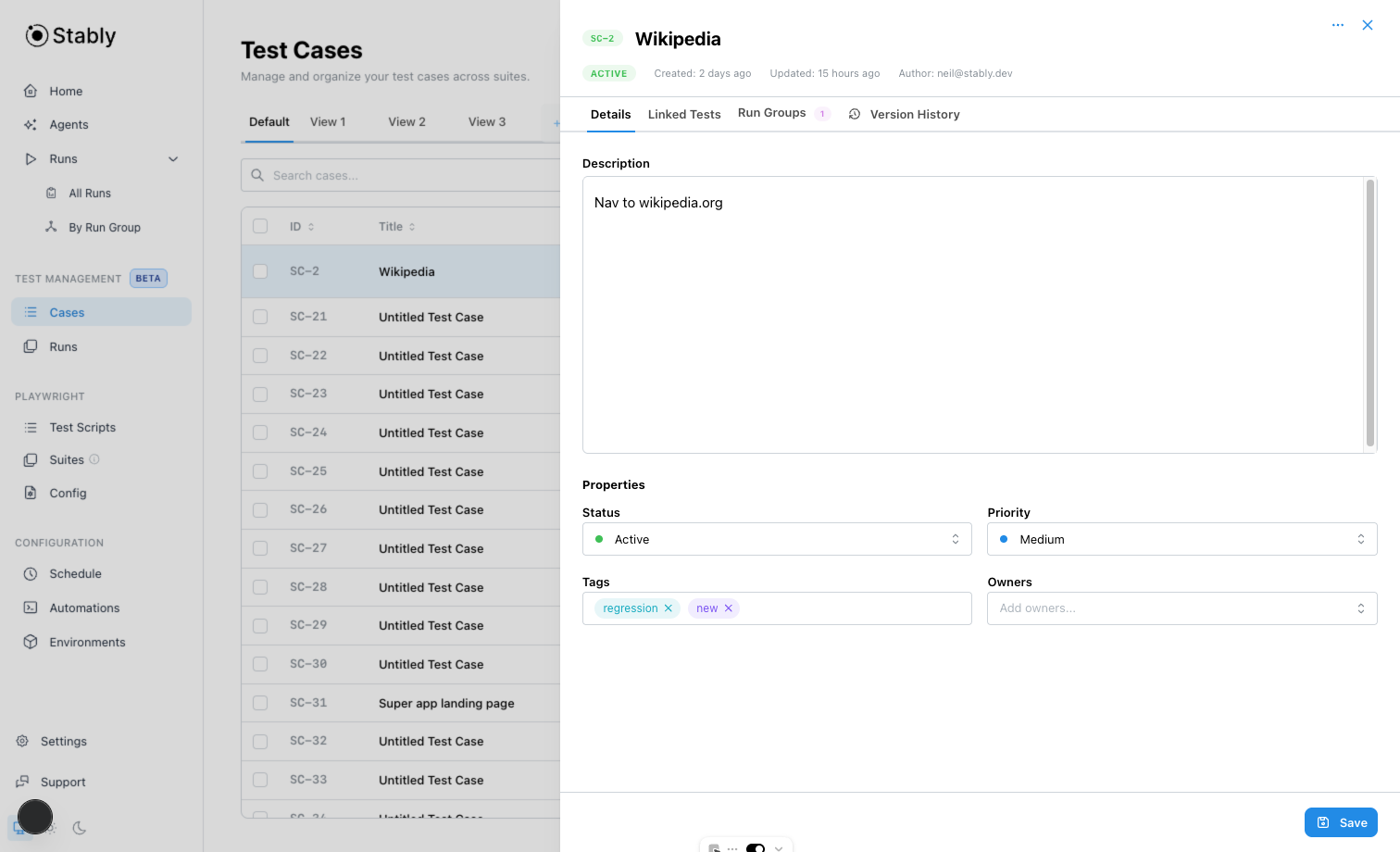
Define run groups
Use Runs to define reusable run groups and keep run history nearby.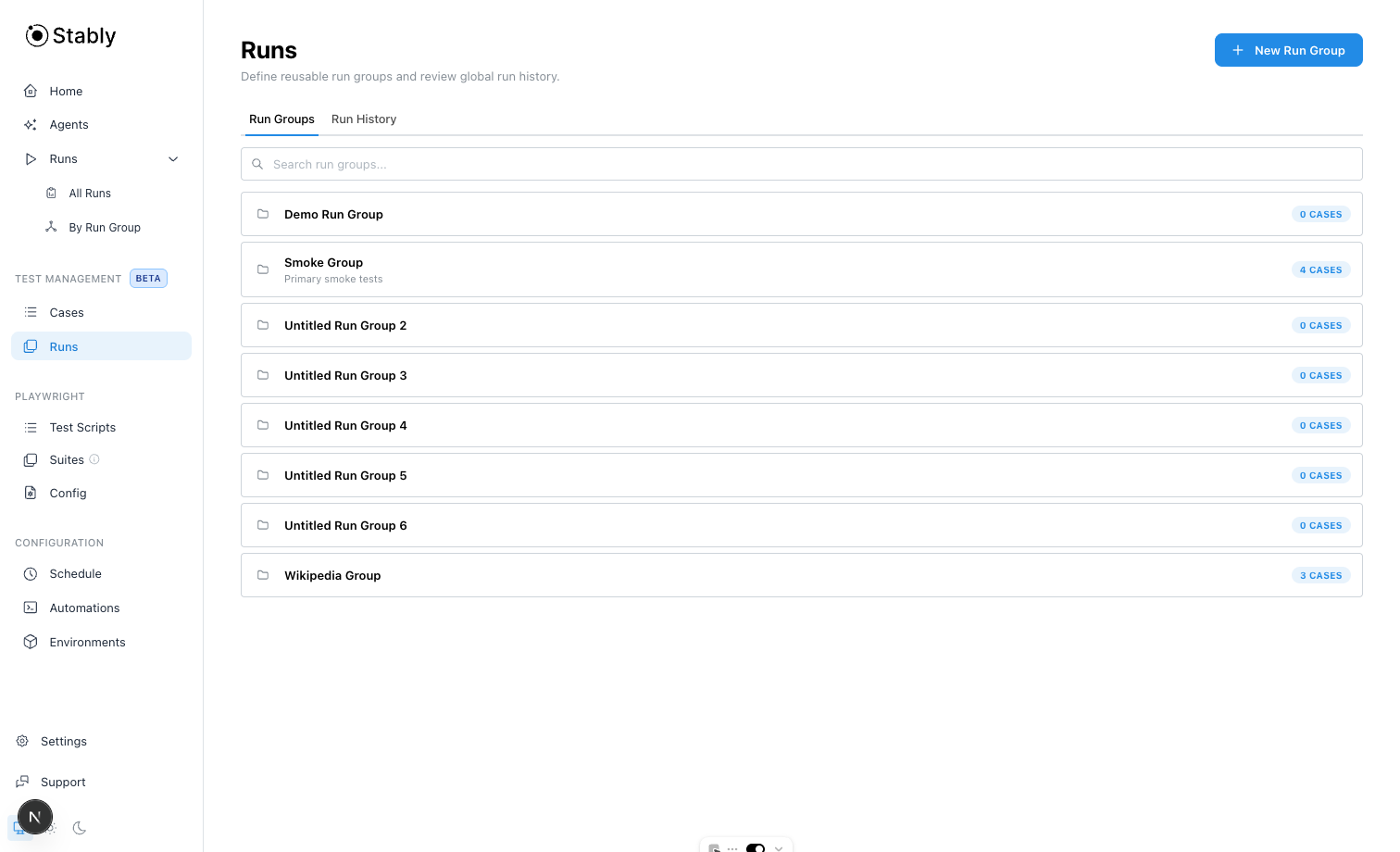
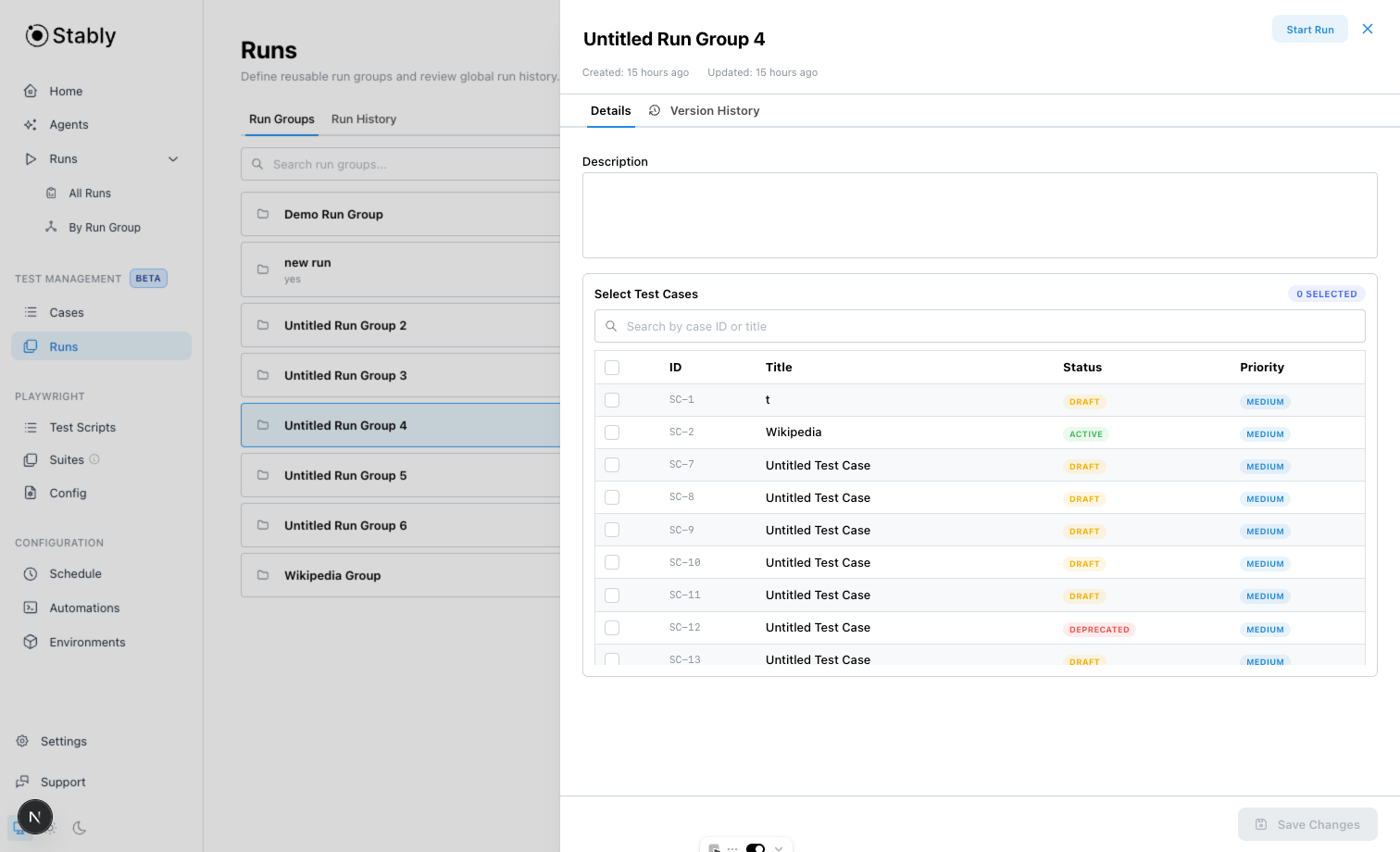
Start and monitor runs
From a run group, start a run and track outcomes from the Run History tab.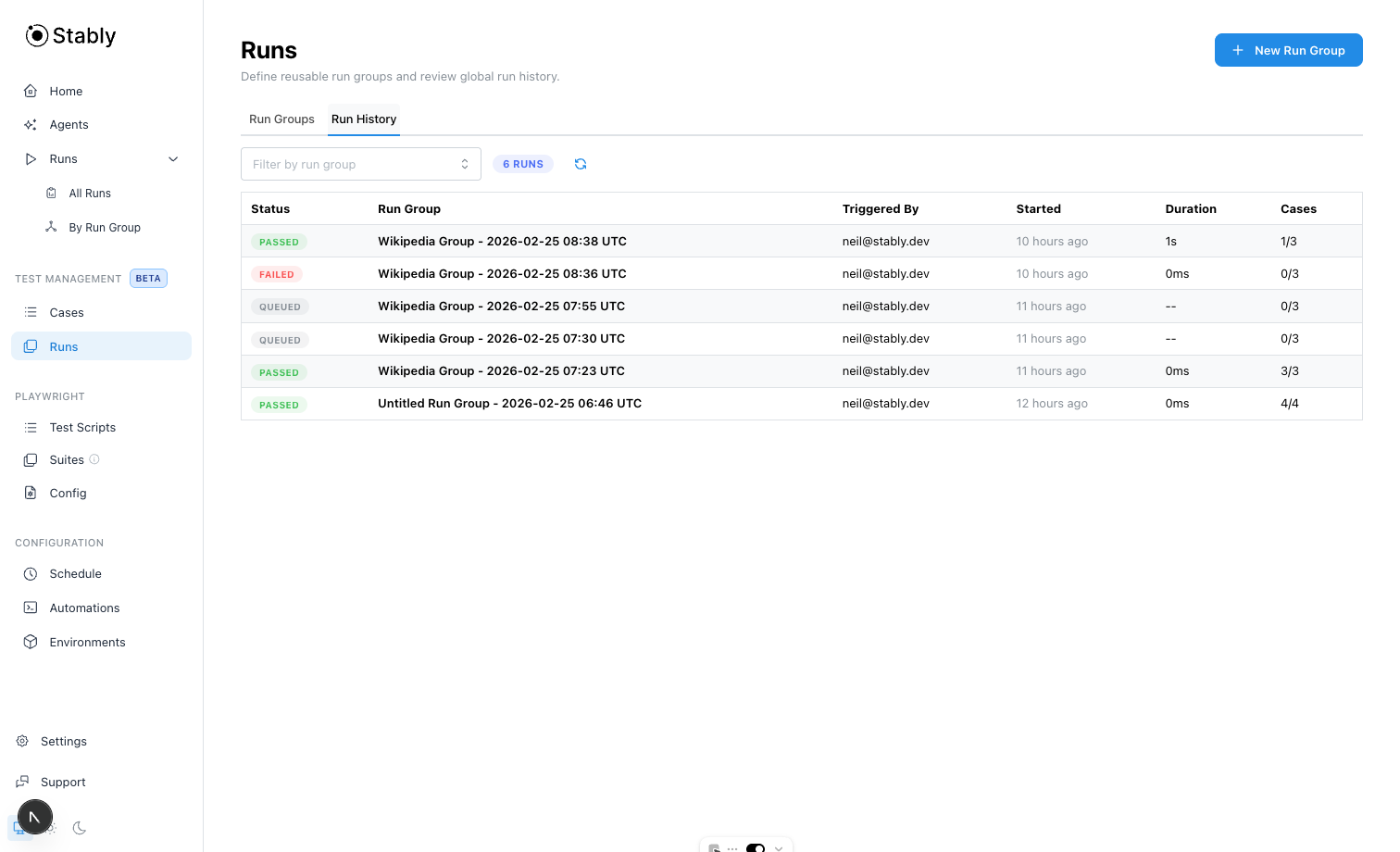
Recommended workflow
Create and refine cases
Add test cases in Cases, then use saved views to focus by owner, status, or priority.