

Overview
Every time Stably fixes failing tests — whether triggered automatically after a scheduled cloud run or manually viastably fix — it starts a fix session. Each session uses AI credits, so it’s important to set the right guardrails.
The agent.fix section in stably.yaml gives you fine-grained control over how much a fix session can spend. These settings apply everywhere the fix agent runs: cloud autofix, CLI stably fix, and dashboard-triggered fixes.
Key Concepts
What Is a Fix Session?
A fix session is a single end-to-end run of the fix agent against a set of failing tests from one test run. For example:- A scheduled run fails with 5 tests — autofix starts one fix session to address all 5.
- You run
stably fix <runId>locally — that’s one fix session.
What Is a Turn?
A turn is one cycle of the AI agent reasoning and taking an action — for example, reading a test file, editing code, or running a test to verify a fix. A single failing test might take anywhere from 5 to 30+ turns to diagnose and fix, depending on the complexity of the failure. Turns are the primary driver of cost. Each turn involves an LLM call, and more complex fixes require more turns.Budget vs. Turns — Which Limit Is Hit First?
BothmaxBudgetUsd and maxTurnsPerIssue act as independent safety caps. The session stops when either limit is reached — whichever comes first.
- Simple failures (e.g., a selector changed) typically take fewer turns and cost less — the turn limit is rarely hit.
- Complex failures (e.g., a multi-step flow broke) take many turns — the budget limit may kick in before the turn limit.
maxBudgetUsd is the more important control for managing overall spend, while maxTurnsPerIssue prevents the agent from spinning on a single difficult issue.
Where to Configure
- stably.yaml
- Dashboard
Add the
agent.fix section to your stably.yaml in the project root:stably.yaml
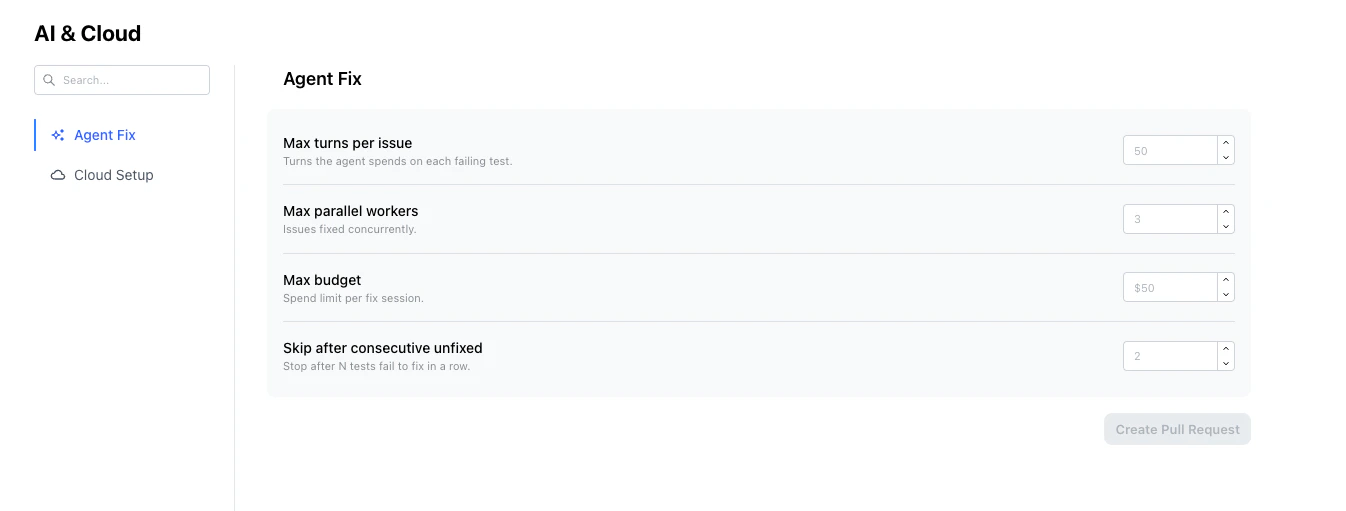
Options
Preventing Runaway Costs
If your tests hit an external issue, every test might fail for the same root cause. Without guardrails, autofix will attempt to fix each one — burning credits on an issue it can’t solve by changing test code. Here’s how to protect against this:1. Set a session budget
The most direct control. SetmaxBudgetUsd to the maximum you’re comfortable spending on a single fix session:
stably.yaml
2. Skip persistently broken tests
skipAfterConsecutiveUnfixed prevents the agent from retrying the same failing test across multiple sessions. If a test fails to fix 2 times in a row (the default), it’s automatically skipped in future sessions until it passes on its own.
stably.yaml
3. Limit turns per issue
If the agent can’t fix a test within a reasonable number of turns, it’s likely a complex issue that needs human attention:stably.yaml
4. Combine with schedule-level autofix control
You don’t have to enable autofix on every schedule. Use it selectively —autofix is set per schedule, and schedules without it default to no autofix:
stably.yaml
Recommended Settings by Use Case
Full Example
stably.yaml
Next Steps
Autofix
How autofix works end-to-end on cloud runs
Fix Tests (stably fix)
Run fix locally or in CI with the CLI
Scheduled Runs
Configure when your tests run automatically
STABLY-FIX.md
Write custom fix rules in a markdown file